I lost most of a day to Undelivered Consumption Percentage Non Zero Error. Not because it's a hard error. Because I'd set delivery Status to something other than DELIVERED and left consumption Percentage at 60000, and Apple rejects that combination without much of a shrug.
Which is a roundabout way into the actual question.
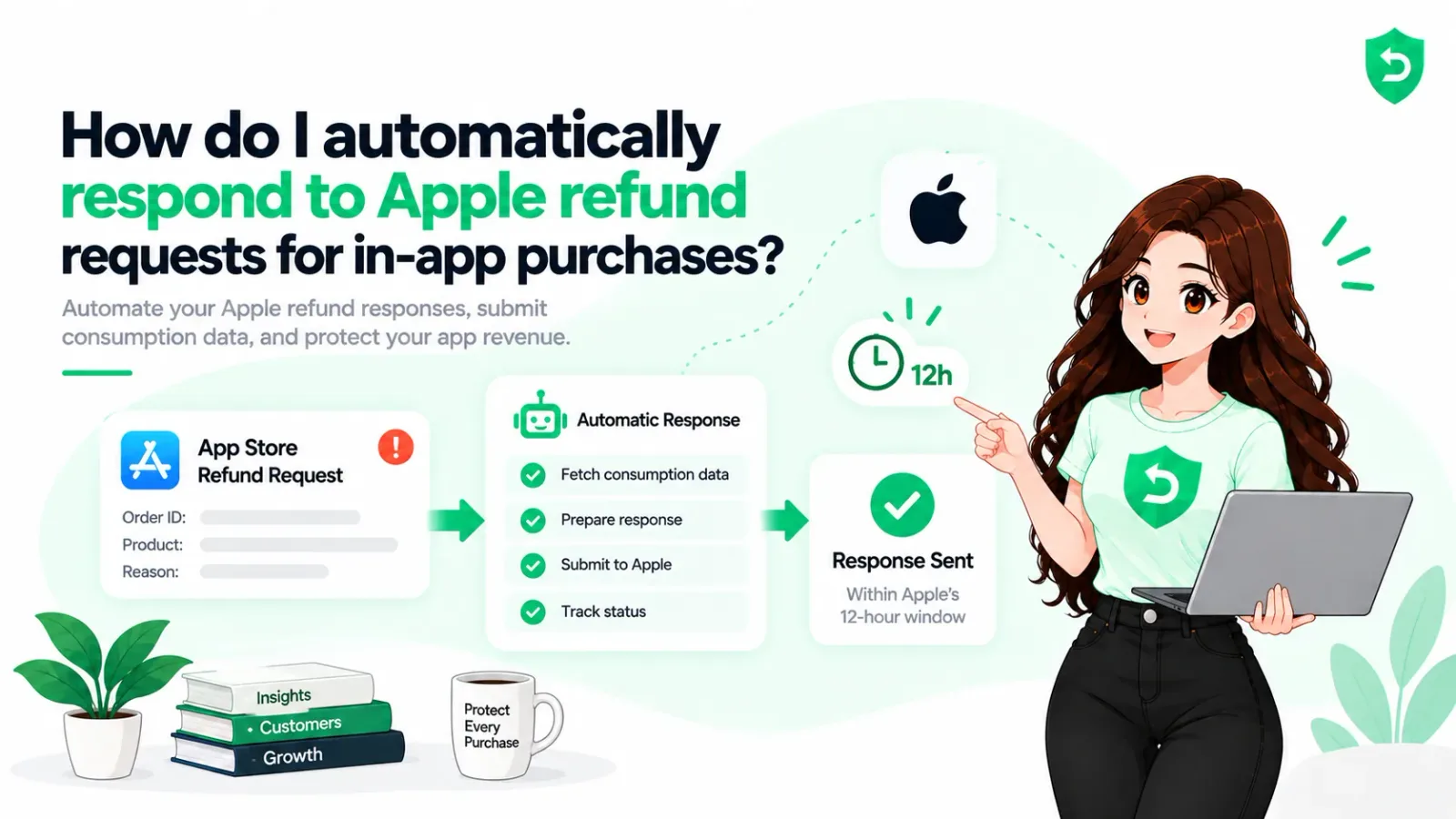
If you're working out how to automatically respond to Apple refund requests, it's a smaller job than most teams assume. The hard part was never the API call. It's having the data to put in it. The field-by-field walkthrough lives in Apple CONSUMPTION_REQUEST explained. This one's about wiring it up so nobody has to be awake.
Key takeaways
Apple refund automation is one webhook plus one PUT. Apple sends a CONSUMPTION_REQUEST, you answer within 12 hours.
You need an In-App Purchase key, not your App Store Connect API key. They aren't interchangeable.
Three of the five fields are required, and two of them have constraints that only show up as errors.
Without customer consent you shouldn't respond at all, and you can't collect consent retroactively.
The endpoint moved to v2. Production is api.storekit.apple.com, and sandbox gives you 5 minutes rather than 12 hours.
How Apple refund requests for developers actually work
A customer opens reportaproblem.apple.com, finds the purchase in the last 90 days, picks a reason, submits. If you've configured App Store Server Notifications V2, your endpoint gets a CONSUMPTION_REQUEST as a signed JWS payload carrying the transaction, the product, and the reason they chose.
That webhook is the whole trigger for an apple store in app purchase refund. Nothing shows up in your dashboard, and there's no queue to check. It's why teams find out this system exists weeks after they started losing money to it.
Then you have 12 hours.
One thing worth correcting, because it's repeated everywhere. This isn't limited to consumables. Apple's current documentation says a CONSUMPTION_REQUEST arrives for any product type: consumable, non-consumable, non-renewing subscription, auto-renewable subscription. Older guides still say consumables and subs only. They're out of date.
What "respond" means, concretely
You PUT a JSON body to one endpoint.
PUT https://api.storekit.apple.com/inApps/v2/transactions/consumption/{transactionId}
Sandbox is api.storekit-sandbox.apple.com, same path. Success returns 202 Accepted, not 200, which trips people up when they're asserting on status codes.
Authentication is a short-lived ES256 JWT signed with an In-App Purchase key, generated in App Store Connect under Users and Access, in Integrations. It is not your App Store Connect API key. The .p8 downloads exactly once, at creation, so if you've lost it you're generating a new one and rotating everything that uses it. Ask me how I know.
The five fields, and the two that bite
The body is a Consumption Request. Three required, two optional.
Customer Consented (required). True only if you have genuine consent. More below, because this one gates the whole thing.
Delivery Status (required). Whether the purchase arrived and worked.
Sample Content Provided (required). Whether a free sample, trial, or functionality info existed before purchase.
Consumption Percentage (optional). How much they consumed, in milliunits. 0 to 100000, so 45.2 percent is 45200.
Refund Preference (optional). GRANT_FULL, GRANT_PRORATED, DECLINE, or NO_PREFERENCE.
Two constraints that will cost you an afternoon each.
If Delivery Status isn't DELIVERED, Consumption Percentage must be 0. Anything else fails with Undelivered Consumption Percentage Non Zero Error. That was my day.
And if you send GRANT_PRORATED for an auto-renewable subscription, don't include consumptionPercentage at all. Apple calculates it from elapsed time in the billing period and rejects yours with Consumption Percentage Auto Renewable Subscription Error. The error names are at least descriptive, which is more than I expected.
Consent is the gate, not a formality
Apple's documentation is unusually direct here: if the customer hasn't consented, don't respond to the notification. Not respond with Customer Consented set to false. Don't respond.
You also can't go and collect consent after a request lands. It has to exist beforehand, which means the language belongs in your terms or privacy policy before you ship any of this, not after your first contested refund. Apple's guidance is that consent should be freely given, specific, informed and unambiguous, that opt-in beats opt-out, and that obtaining it is solely your responsibility.
Practically: a line saying you may share purchase and usage data with Apple to help review refund requests, plus a way to withdraw. Get your own legal review on it. I'm not a lawyer and this isn't advice.
How developers automate App Store refund requests
The pipeline, in the order I'd build it:
Configure a Production Server URL in App Store Connect, under App Information, and choose Version 2. Consumption requests don't travel over V1.
Verify the JWS signature chain against Apple's root certificates before trusting a single field.
Match the transaction to a user. The appAccountToken you attached at purchase is the fast path. Without it you're reverse-looking-up by product and date, which gets messy fast.
Check consent. No consent, no response. Log it and move on.
Pull actual usage. Not an estimate, not a default. If you can't answer "how much of this did they use", that's the real gap in your automation.
Build the ConsumptionRequest, applying the two constraints above.
PUT it, confirm the 202, and store the payload you sent.
Step 5 is where most attempts stall. The API call is an afternoon of work. Having honest per-user consumption data for a purchase made seven weeks ago is a data modelling problem you may not have solved yet.
What makes it hold up in production
Beyond the happy path, four things:
Idempotency. Apple retries notifications, and your handler will see the same one twice. Dedupe on the notification UUID or you'll file duplicate responses.
Alerting that actually pages someone. A handler failing silently is worse than no handler, because you'll believe you're defended.
A sandbox test harness. Sandbox gives you 5 minutes rather than 12 hours, so you cannot test this by hand casually. Script it.
And a record of what you sent, per case. When a refund gets declined you'll want to know which preference you filed and why. When one gets granted against your DECLINE, you'll want to know that too.
Honest estimate: a few days of glue if you've built webhook plumbing before, and a few weeks to trust it. Most of that isn't the Apple side.
Or let something else do it
If you already run RevenueCat or Adapty, check what they ship first. Both have added refund response features, and your receipts and customer mapping are already there.
Purpose-built Apple refund management software goes further. Refund Sensor runs on the App Store Connect keys you already have, answers every request with transaction evidence inside the window, and logs the outcome per case. No SDK, no code changes, about five minutes to connect. We compared the wider field in Apple refund management tools, if you'd rather shop.
The customer side, since people ask
On how to request refund on app store purchases, from the user's chair: reportaproblem.apple.com, sign in, find the purchase in the last 90 days, pick a reason. Apple tells customers they'll hear back within 48 hours.
You can also surface that same form inside your app using StoreKit's refund request sheet, which routes unhappy users to Apple instead of to a one-star review. It cannot grant a refund. Only Apple can do that. Apple Support's guide to requesting a refund covers what the customer sees.
Worth saying plainly, because App Store refund management gets oversold: you cannot approve or deny a refund. You can put evidence in front of Apple while they're deciding, and state a preference. That's all the influence you get, and it's more than most developers use.
Sources
Frequently asked questions
Yes. That's what the CONSUMPTION_REQUEST notification and the Send Consumption Information endpoint exist for. You can't grant or deny the refund, but Apple uses what you send as an input to the decision.
Receive App Store Server Notifications V2, verify the JWS signature, match the transaction to a user, check consent, assemble real consumption data, and PUT it to the v2 consumption endpoint inside 12 hours. Everything else is idempotency, alerting and record-keeping.
An In-App Purchase key from Users and Access, under Integrations. Your App Store Connect API key won't authenticate these calls, and you'll get a 401 that looks like a clock problem.
No, it's optional. But if deliveryStatus isn't DELIVERED it must be 0, and for a prorated auto-renewable subscription you must omit it entirely.
Don't respond. Apple's guidance is explicit on this, and consent can't be collected after the request arrives.
It's an input, not a guarantee. Apple says it uses a variety of factors. In practice, a well-evidenced DECLINE on a heavily consumed purchase gets turned down far more often than a request nobody answered