App Store Refunds: How Developers Can Protect Revenue From Refund Losses
It usually starts in finance. Somebody notices the App Store payout doesn't match what the dashboard promised. Goes digging. Finds nothing wrong, exactly — just a batch of purchases from six weeks back that quietly came back to Apple.
Here's the thing about that money, though. It's the least interesting part of the problem. A refund touches five or six other systems on its way through your stack, and none of them raise a hand to tell you. Which is really why Apple refund defense has to be built around server notifications. Not monthly reports. Those arrive too late to matter.
Apple decides. Full stop, no tool changes that, ours included. But between "Apple decided" and "you found out three weeks later" there's a lot of room, and that room is basically where all the avoidable money is sitting.
Key Takeaways
● Apple approves or rejects every App Store refund. You supply information and record the result that's the whole developer role, nothing more.
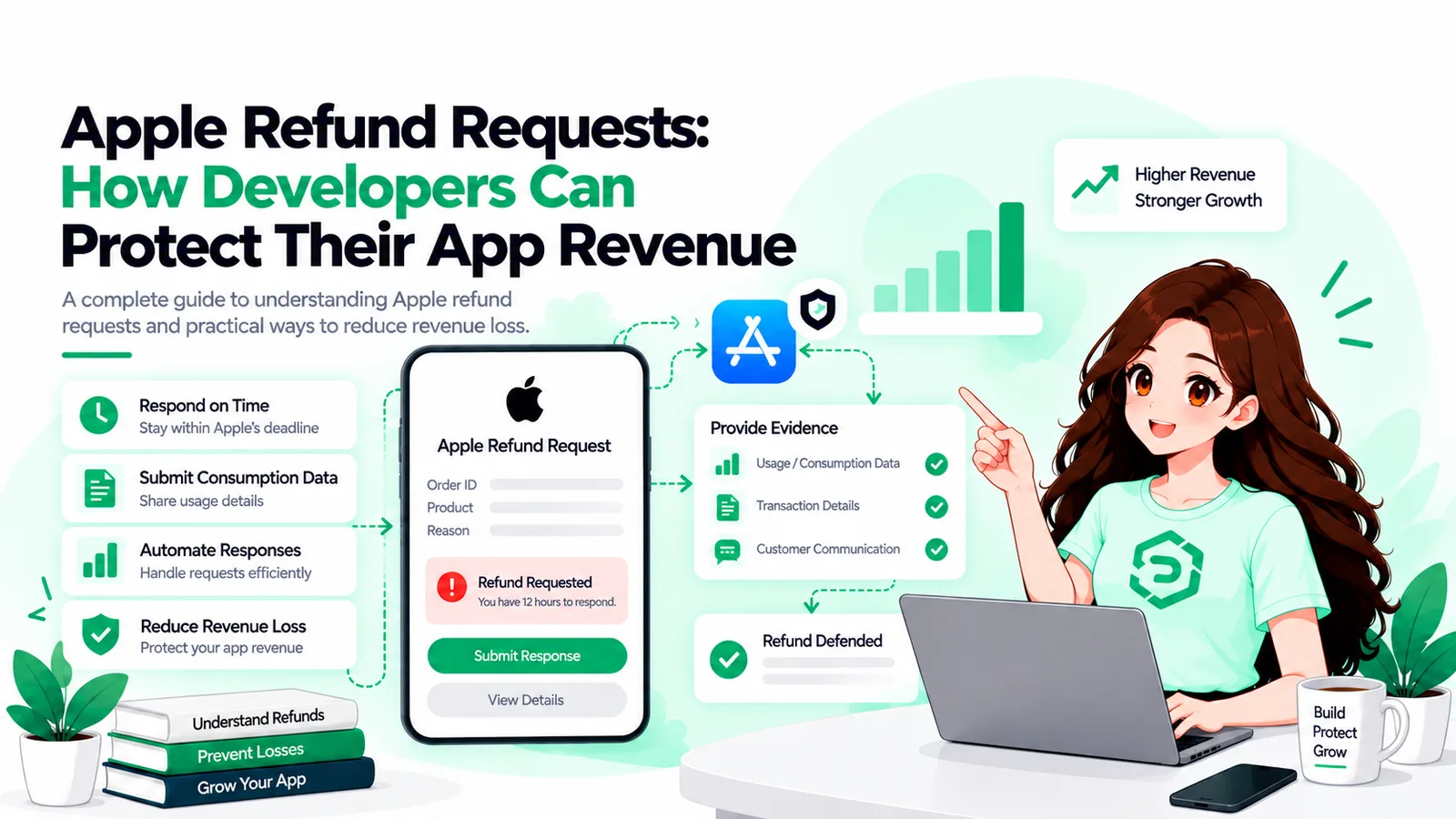
● A customer-initiated refund request sends a CONSUMPTION_REQUEST to your server, per Apple's own docs. You get 12 hours to answer it.
● No V2 notification endpoint configured means no notification arrives. A smaller-than-expected payout ends up being your first real clue.
● Apple calls consumption data an input to its decision. Worth repeating: an input, not a promise of any particular result.
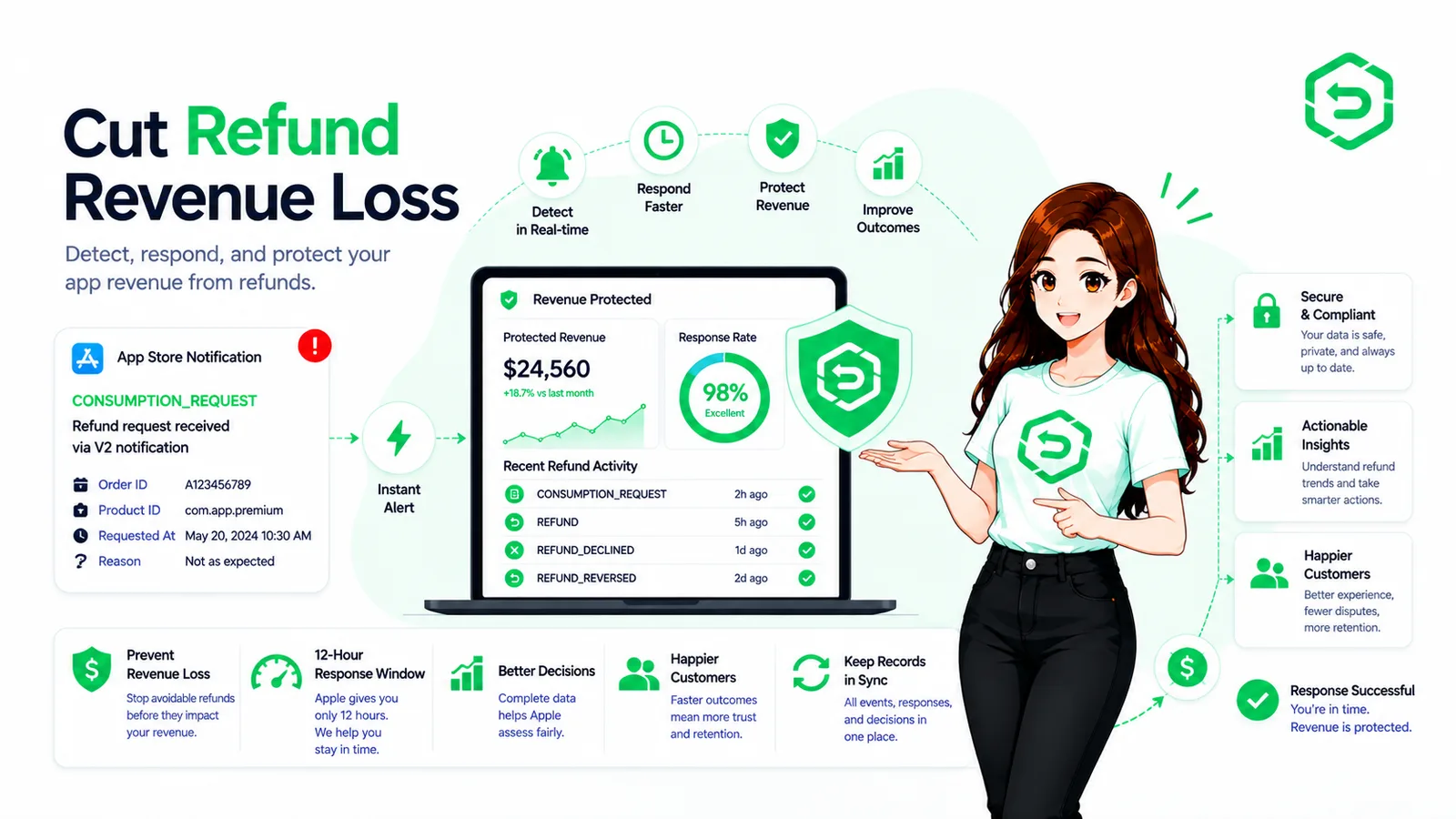
● REFUND, REFUND_DECLINED, and REFUND_REVERSED aren't interchangeable. Code that treats them the same way ends up locking out paying customers.
● Refund a subscription and you're not just losing one charge you lose every renewal you'd already counted on.
What Are App Store Refunds?
Plainly put: an App Store refund is money Apple hands back to a customer, whether that was for an app, an in-app purchase, doesn't matter. The same amount vanishes from your proceeds. Apple reviews it, Apple decides it, and eventually sometimes not immediately your systems hear about it through server events, assuming you've actually got something listening.
Two things get mixed up with refunds constantly, and honestly it's an easy mistake to make. Cancelling just stops future renewals from happening; whatever's already been paid, stays paid. A chargeback is a completely different animal a dispute raised with a card issuer, nothing to do with Apple at all. Refunds are neither one, and each fires its own separate notification.
How Does the App Store Refund Process Work?
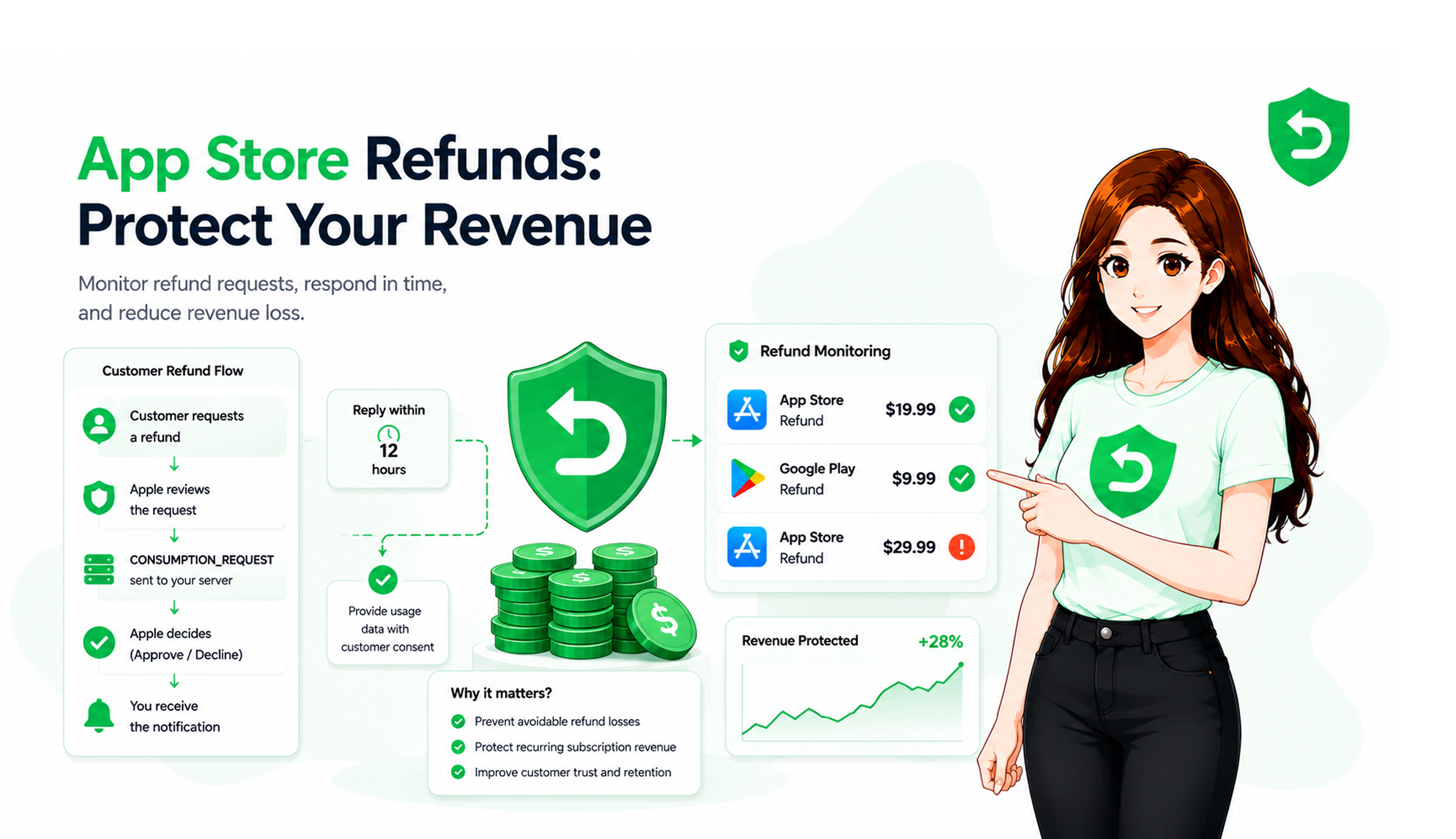
Customers kick it off at reportaproblem.apple.com, or from inside your app if you've built StoreKit's refund request API into it. Apple looks over what got filed. If Apple needs usage data, your server gets a fairly tight window to hand it over. Then a call gets made, and it reaches you as a notification. Customers themselves are told to expect something within 24 to 48 hours.
What's striking, if you sit with it, is how little of this touches a human on your end. No queue to escalate anything to. No case to argue. Just Apple's system, doing its thing, whether you're watching or not.
Apple's documentation is specific here a customer-initiated refund request, regardless of product type, sends a CONSUMPTION_REQUEST to your V2 endpoint. But only if that endpoint's actually configured. Skip the setup, and a refund can land with nothing more than a bare REFUND event to show for it. That's it. That's all you get.
Table 1: Refund stages and developer actions
App Store Refund Stage | What Happens | Developer Action |
Purchase | Transaction completes | Store the transaction ID against a user |
Refund request | Customer files with Apple | None, it sits with Apple |
Apple review | Apple assesses the case | Watch notifications, not App Store Connect |
CONSUMPTION_REQUEST | Apple asks your server for data | Reply within 12 hours, with consent |
Decision | Apple approves or declines | No developer role here |
REFUND or REFUND_DECLINED | Result reaches your server | Update access, revenue, history |
REFUND_REVERSED | Apple undoes a granted refund | Restore access if you removed it |
Why Do App Store Refunds Create Revenue Loss?
The purchase amount is the part everyone notices first. It's almost never the expensive part, though. What actually bites is everything sitting downstream of it access nobody thought to revoke, lifetime-value math still built on revenue that's long gone, a reconciliation job waiting at month end, a support ticket from a customer who was fine with the app yesterday and suddenly isn't today.
Forecasting takes the worst of it, honestly. Any model treating a completed purchase as locked-in revenue is going to be wrong, every time, by however many refunds show up later. Cohort charts get weird too refunded users tend to just disappear from a cohort instead of showing up as churn, which makes retention numbers look better than they actually are. Nobody's lying, exactly. It's just not the full picture.
What Can Developers Control During an Apple Refund Request?
Three things, roughly, and it's a shorter list than most people expect. Whether Apple can actually reach your server. What you send back once it asks. How quickly your systems react once an answer comes through. Notice what's missing the decision. That's never on your list, and Apple's fairly blunt that consumption data is one input among several, not a deciding vote.
A quick thing worth sitting with: a server that says nothing isn't being neutral. It just hands Apple the customer's version of events, their history, and leaves nothing on your side of the scale to weigh against it.
How Consumption Information Can Affect Refund Reviews
Once a CONSUMPTION_REQUEST shows up, you answer through the Send Consumption Information endpoint. The payload's genuinely small consent, whether the purchase got delivered, whether a sample existed, how much got used, and your preferred outcome. Apple's language is that this informs the decision. Informs. Not decides.
Consent isn't a checkbox you tick once and move on from. Apple's explicit about needing valid consent before you share a customer's personal data through this API and without it, the guidance is you shouldn't be replying at all. Legal groundwork first. Code second.
One detail catches almost everybody off guard the first time. The consumption-percentage field only applies to consumables, non-consumables, and non-renewing subscriptions. For auto-renewable subscriptions, Apple calculates that figure itself from elapsed time so whatever you send in that field just gets thrown out. We go deeper into that exact mechanic in this look at Apple's consumption request window, worth a read if you're building against it.
How App Store Refunds Affect Subscription Revenue
A refund on a subscription costs more than one billing cycle, and it's not close. Apple's own notification tables lay it out request a refund through the in-app API, and auto-renewal switches off, with DID_CHANGE_RENEWAL_STATUS firing alongside an AUTO_RENEW_DISABLED subtype. The current charge reverses. Every future one simply stops existing.
One event, two separate hits to recurring revenue people underestimate that more than almost anything else here. And if that refunded subscriber quietly gets filed under churn instead, now you're treating a billing outcome like it's a product failure, which it usually isn't. Access mirrors all of this: refunded subscriptions should lose it fast, reversed refunds should get it back just as fast.
Why App Store Refund Monitoring Matters
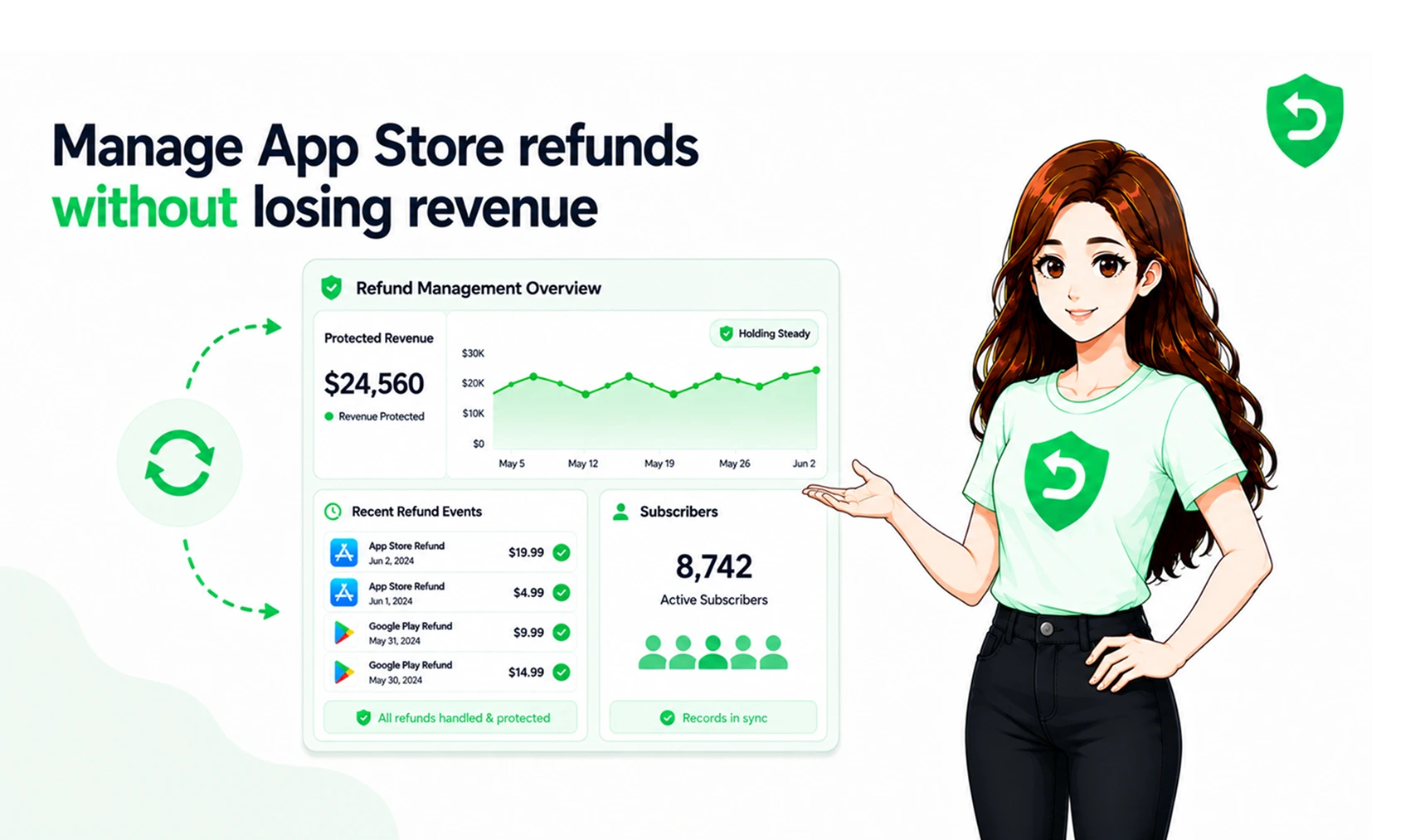
Boiled down, App Store refund monitoring is three things: catching refund events the moment they happen, tying each one to a real transaction and a real user, and keeping a history you can actually go back and search. Skip it, and refunds only surface in a financial report weeks later long after access should've changed and every response window's already shut.
A setup that actually works tends to cover:
● App Store Server Notifications V2 arriving reliably, with signatures actually verified
● Transactions matched to real users usually via an appAccountToken set at purchase time
● Access and subscription state changing off events themselves, not some nightly batch job
● Per-customer refund history, so repeat patterns are visible instead of hidden
● Deadlines measured against an actual clock, not office hours
There's a side benefit people usually stumble onto after the fact, almost by accident. Stored properly, those events end up showing exactly which products, which price points, which storefronts leak the most data you weren't even trying to collect, but end up leaning on anyway.
How Apple Refund Automation Can Reduce Manual Work
Apple refund automation takes on the repetitive middle part. Receiving and verifying notifications. Resolving a transaction to the right user. Building the consumption payload, filing it before the clock runs out, logging whatever Apple ended up deciding. What it doesn't do worth being blunt about this is buy you any influence over the decision, and it won't make fewer people ask for refunds either. That's not the job.
Timing is really the whole argument for it, if we're honest. Twelve hours feels generous until the notification actually lands at 2am on a Sunday and somebody has to be the one who notices. Apple's sandbox window is even tighter than production, which is a pretty strong hint about who Apple assumed would be handling this.
Table 2: Manual versus automated refund handling
Manual Refund Management | Automated Refund Management |
Refunds noticed in monthly reports | Events captured as they arrive |
Replies depend on someone being awake | Replies filed inside Apple's window |
Transactions matched by hand | Transactions matched to users in code |
History kept in spreadsheets | Searchable history per customer |
Access fixed after complaints | Access updated from the event itself |
How Developers Can Protect Mobile App Revenue From Refunds
Mobile app revenue protection is, honestly, kind of boring in practice. State pricing and renewal terms plainly, before money changes hands. Keep transaction records you'd actually trust under pressure. Attach a user identifier to every single purchase, no exceptions. Answer consumption requests wherever you've got documented consent. And let refund events drive access changes directly don't rely on someone remembering to do it by hand, because eventually they won't.
A paywall that shows price, renewal date, and how to cancel clearly, upfront quietly removes a chunk of requests before they're ever filed. That's not prevention, not really. Nothing here truly is. It just shrinks the avoidable slice: the requests you could've answered, the access you were slow to update, the pattern nobody happened to notice.
Common Refund Management Mistakes
Not having a V2 endpoint configured is the expensive mistake, since practically everything else depends on it existing in the first place. Past that, the same failures tend to repeat across teams: trusting a payload without verifying its signature, sending consumption data with no documented consent behind it, skipping the appAccountToken at purchase so nobody can say with any confidence whose transaction they're even looking at.
The other failure isn't technical at all. It's organizational, and it's sneakier for that reason. Refunds get treated as a finance-only concern, the events never make it to product or engineering, and refunded users keep full access sometimes for months simply because nobody wired the two departments together.
Final Thoughts
Refunds aren't a bug in how the App Store works. They're just part of it, permanently, and that's not changing. What actually varies, team to team, is how much of the loss was avoidable in the first place. Missed notifications. Requests nobody answered. Access left stale for weeks. All self-inflicted. All fixable, too, if someone decides to fix them.
Most teams end up building a real workflow at more or less the same moment when refund volume finally outpaces whoever'd been quietly soaking it up by hand. If that sounds like where you're at right now, the App Store setup steps are mostly configuration at this point. Not a rebuild.
Where These Rules Are Documented
● Apple Support: Request a refund for apps or content covers how customers file requests and the 24 to 48 hour window.
● Apple Developer: Send Consumption Information covers the CONSUMPTION_REQUEST trigger, the 12-hour deadline, the consent rule, and Apple's use of the data.
● Apple Developer: notificationType covers REFUND, REFUND_DECLINED, REFUND_REVERSED, CONSUMPTION_REQUEST, and the auto-renew change.
Frequently asked questions
Money Apple gives back to a customer for an app, in-app purchase, or subscription — deducted afterward from your proceeds. Apple owns the review and the outcome both. You find out through server notifications, which is really the only channel fast enough to act on before it matters.
Customer files through Report a Problem, or inside an app via StoreKit's refund request API. Apple reviews, sometimes asks your server for consumption data, then decides. Customers hear back within 24 to 48 hours, typically.
No, not even a little. Apple decides, always. You can send consumption data if asked, and Apple treats it as an input — but it's not a guarantee of anything, either direction.
They pull back the original proceeds, and typically more than that once you count everything else. Access needs revoking, forecasts stop lining up, finance has to reconcile the reversal. Subscriptions add lost renewals on top, ones that were already sitting in a projection somewhere.
Catching refund events as they happen, tying them to the right transaction and user, and keeping a history worth searching later. It's the difference between a refund being a live thing you respond to versus a surprise buried in next month's report.
It ingests App Store Server Notifications V2, checks each signature, resolves the transaction back to a user, and builds the consumption fields off recorded usage. The reply goes out through Apple's API before time runs out, and the outcome gets logged for later.
Get V2 notifications configured. Attach a user identifier to every purchase. Secure consent for consumption data ahead of time. Answer requests promptly. Let refund events trigger access changes on their own. Clear pricing and renewal language shaves off another chunk before it even starts.
Yes, Apple exposes both the notifications and the response API, so the entire loop can run without a person in it. Automation covers monitoring, replying, record-keeping. What it will never cover, no matter how good it gets, is who actually makes the call.