For a long time the honest answer to "how do I respond to an Apple refund request" was that you don't. Apple took the payment, took the request, decided, and the first a developer heard of it was a smaller payout. That hasn't been true since 2021, though plenty of people still assume it.
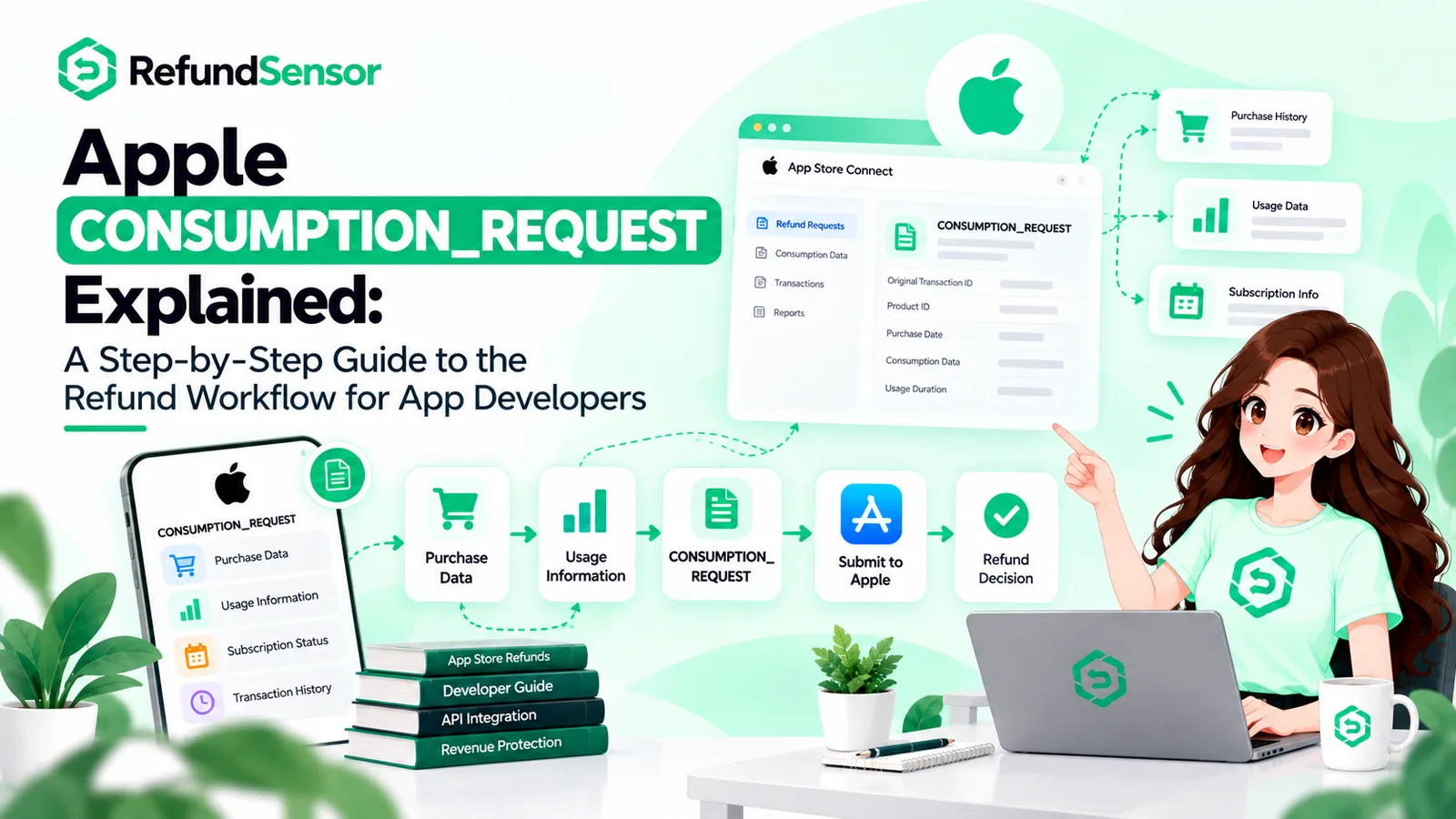
Now Apple asks your server what it knows about the purchase before it decides, and waits about 12 hours for the answer. We've already written up what a CONSUMPTION_REQUEST actually contains, so I won't repeat the payload field by field. This is about what to do once one lands.
Key Takeaways
Apple decides every App Store refund. What you send doesn't change that, but it changes what Apple knows when it decides.
The request arrives as a CONSUMPTION_REQUEST notification, for consumables and auto-renewable subscriptions only.
You have 12 hours to reply through the Send Consumption Information endpoint, which now wants five fields.
The reply is mostly three facts: was it delivered, how much got used, did they get a free taste first. Plus your preference.
In our experience, the refunds developers lose are mostly the ones nobody answered.
What Is an Apple App Store Refund Request?
An Apple App Store refund request is a customer asking Apple for their money back on an app or an in-app purchase. Not asking you. They go to reportaproblem.apple.com, or use the in-app refund sheet, pick a reason from a short menu, choose the purchase and submit. Apple's support page tells them to expect an answer in 24 to 48 hours.
If the purchase was a consumable or an auto-renewable subscription, Apple pings your server and asks what you know, then folds your answer in with the customer's own purchase and refund history, which it knows far better than you do, and makes the call. You don't see the customer's name and you don't get a veto. You get a short window to put facts on the table.
How the Apple Refund Process Works for Developers
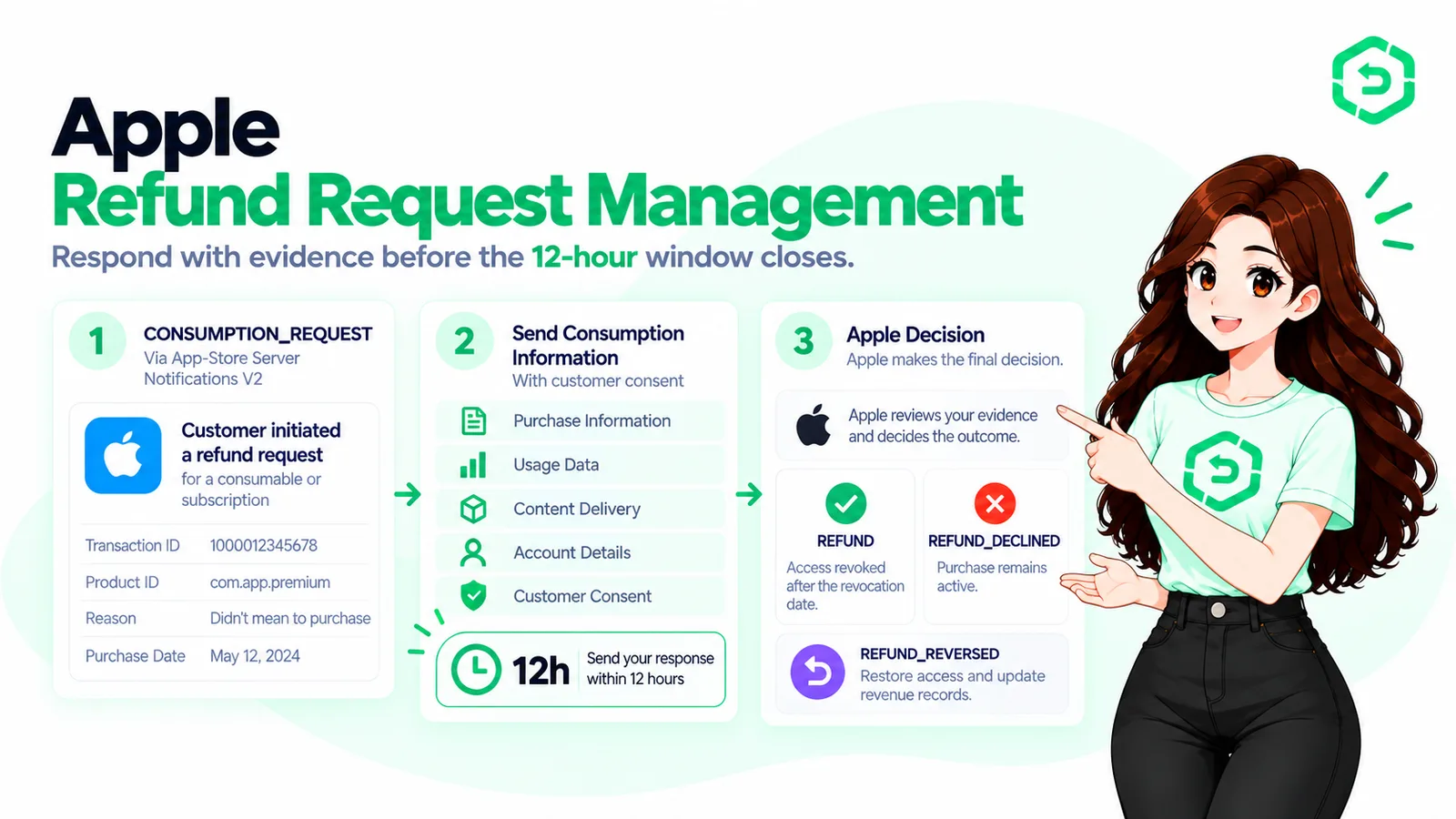
The Apple refund process for developers runs in four stages, and you only touch one of them.
The customer asks Apple for a refund and picks a reason.
Apple sends a CONSUMPTION_REQUEST to the server URL you registered in App Store Connect. This only happens for consumables and auto-renewable subscriptions.
You have 12 hours to call the Send Consumption Information endpoint with your data.
Apple decides, then tells you with a REFUND notification or a REFUND_DECLINED one.
If you've never set a server URL for App Store Server Notifications, stage two quietly doesn't happen. Apple rules on the customer's account alone and you find out from the sales report, if you're reading it.
What Happens After a Customer Requests a Refund?
Soon after the customer submits, your endpoint gets a signed JSON payload with a notificationType of CONSUMPTION_REQUEST. Inside: the signed transaction, the product ID, the original transaction ID, and a consumptionRequestReason. Apple added the reason in 2024 and explained it in the WWDC24 session on App Store server APIs. Five possible values: UNINTENDED_PURCHASE, FULFILLMENT_ISSUE, UNSATISFIED_WITH_PURCHASE, LEGAL and OTHER.
What's missing is the person. The only thread back to your records is the transaction ID, and the appAccountToken if you were attaching one at purchase. If you weren't, this is the moment you'll wish you had.
So the review is really a lookup: who bought this, did they get it, and what have they done with it since?
How to Respond to an Apple Refund Request
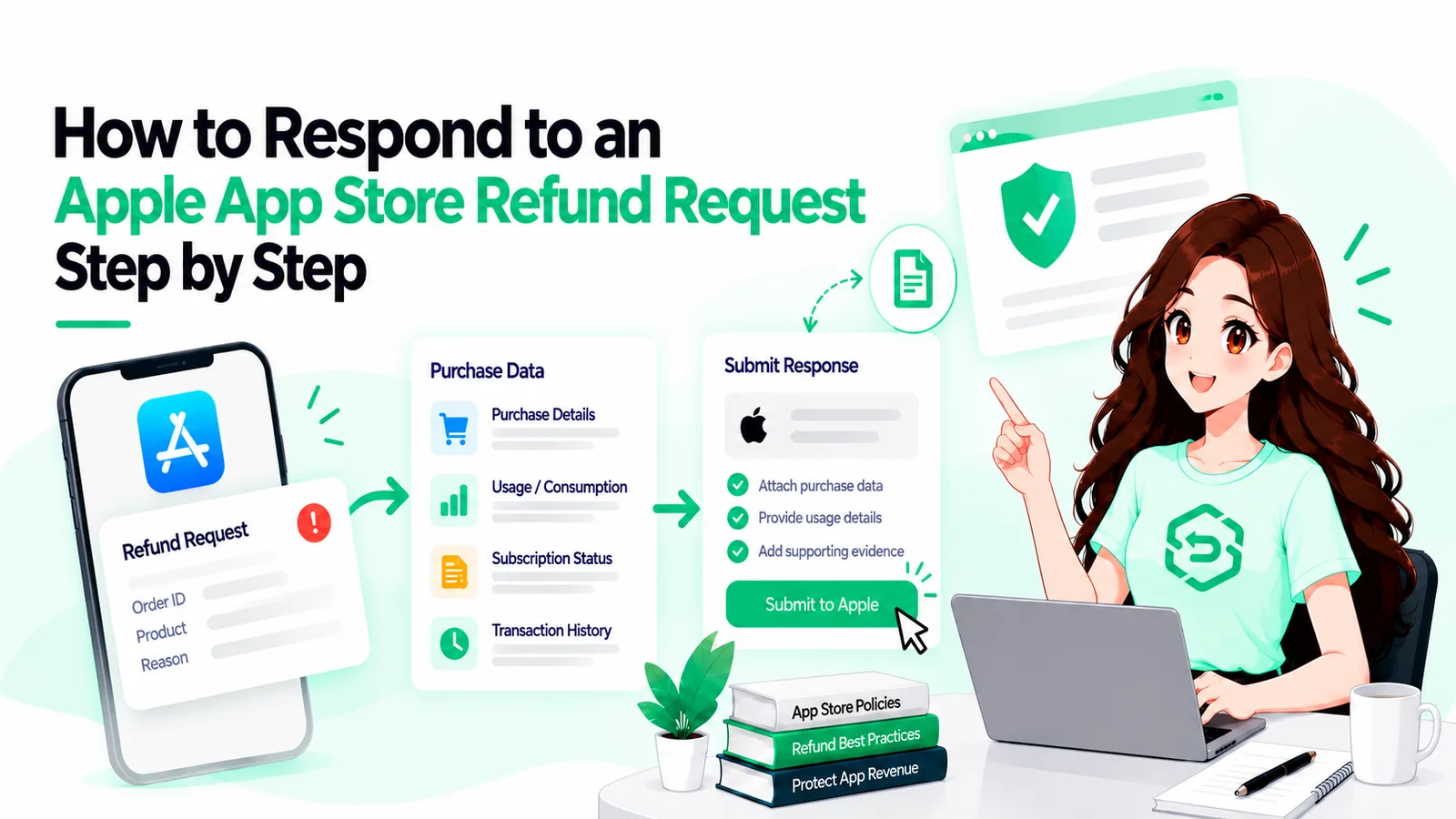
People searching for how to respond to Apple refund request notifications mostly find the API reference. Here are the steps in order.
1. Verify the Payload
Apple signs every notification. Check the signature before you believe a word of it. Apple's App Store Server Library does this in Java, Python, Node and Swift.
2. Find the Purchase
Use the transaction ID or appAccountToken to look the purchase up in your own system. You want the user, the delivery record, and whatever usage you've logged since.
3. Read the Reason, Then Check It
FULFILLMENT_ISSUE means the customer says they never got what they paid for. Check your delivery logs first, because if they're right you want this refund to go through.
UNINTENDED_PURCHASE is usually a kid or a mis-tap.
UNSATISFIED_WITH_PURCHASE is where your usage data carries real weight, since "I didn't like it" looks different at 2 percent used than at 100.
4. Pick a Preference
Apple takes GRANT_FULL, GRANT_PRORATED or DECLINE. Pick the one your data supports. It's a preference, and Apple has granted plenty of refunds developers asked it to decline.
5. Send It
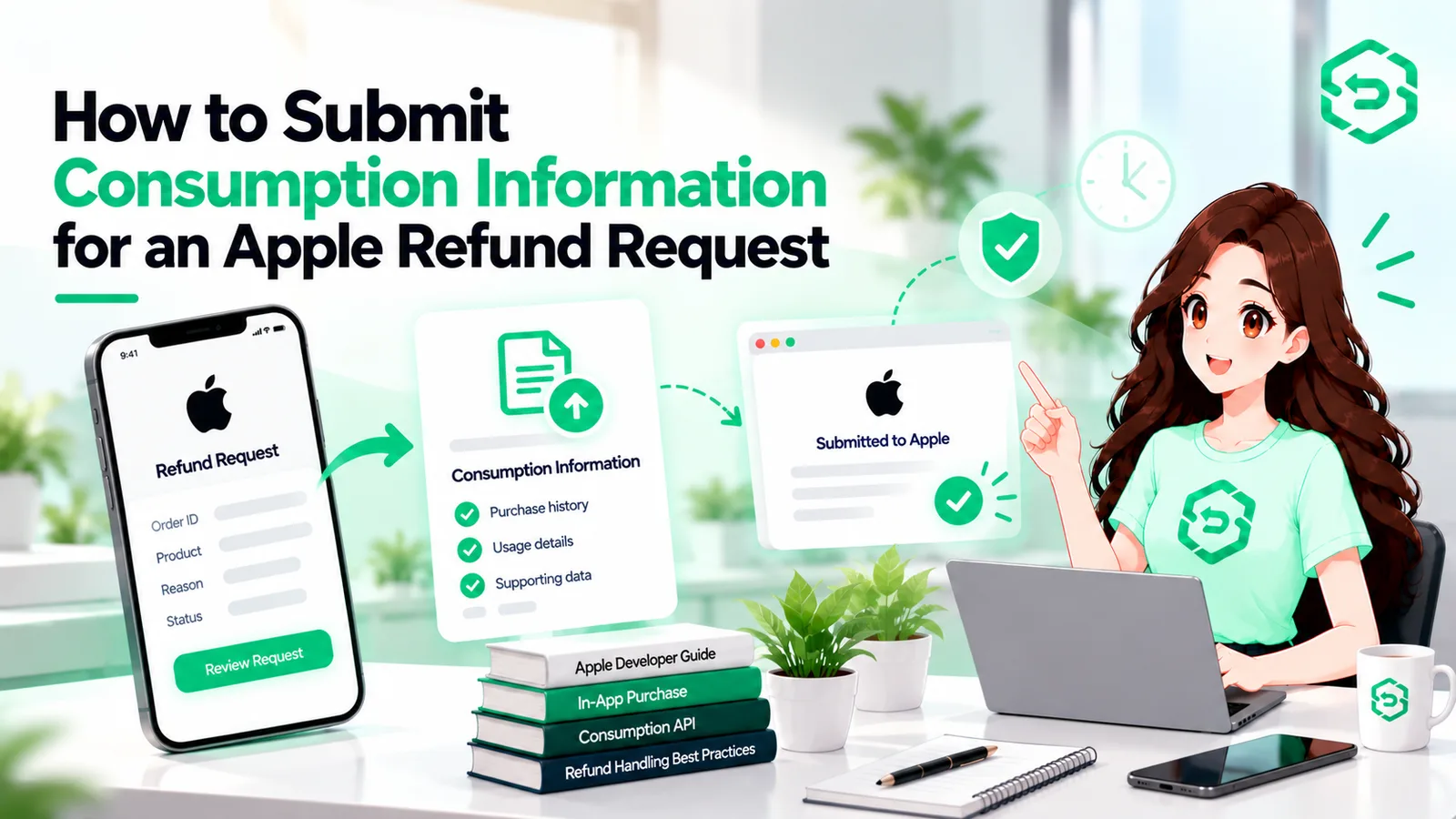
Call the Send Consumption Information endpoint. The current request body has five fields: customerConsented, deliveryStatus, consumptionPercentage, sampleContentProvided and refundPreference.
Consumption is in milliunits, which trips people up: 100000 means fully used, 45200 means 45.2 percent.
And customerConsented has to be true, so permission to share usage data belongs in your terms long before the first request arrives.
6. Act on the Result
REFUND means revoke the content or entitlement, ideally within the hour. REFUND_DECLINED means nothing changes. Either way, record the outcome against the case.
Say someone buys a 500-coin pack at 11 p.m., spends 470 of them overnight, and files under UNSATISFIED_WITH_PURCHASE the next morning. Delivered, 94 percent consumed, no trial, preference DECLINE. That's a complete Apple refund request response. It isn't an essay.
What Information Should Developers Check Before Responding?
Five things, most of which should already be in your database.
The Purchase Record
Date, product, price, and whether this account has bought from you before. If your records are thin, Apple's Get Transaction History endpoint returns everything this customer has bought in your app, given one of their transaction IDs to start from.
Delivery
Did your server actually hand over the coins, unlock the feature, start the subscription, and when? If that call failed, your deliveryStatus is one of the UNDELIVERED values and the refund is deserved. Don't argue with your own logs.
Usage Since
Sessions, chapters opened, coins spent, whatever "using it" means for your product. Apple only wants a percentage, but you can't produce one you'd defend without the events underneath it.
Whether They Got a Taste First
Meaning a free trial, a preview chapter or a free tier. Apple asks this directly, and a yes undercuts the "I didn't know what I was buying" story.
The Account on Your Side
How old it is, whether you've refunded it before, whether there's an open support ticket. Apple sees the App Store half of that history. You see yours.
All of it depends on tying Apple's transaction ID to a user in your system, which is what appAccountToken exists for. It's the most common gap we find, and we've written about why appAccountToken matters for refund defense if you want the setup details.
Common Mistakes Developers Make With Apple Refund Requests
The Notification Never Arrives
There's no server URL in App Store Connect, or there is and it points at a staging box someone decommissioned in March. Apple keeps sending. Nobody's home.
Answering Late
Twelve hours sounds like plenty until a request lands at 2 a.m. on a Sunday and the person who handles these is asleep, then at brunch, then vaguely aware of a Slack message. A process built around office hours misses a chunk of requests by design.
Having Nothing to Say
The notification arrives and there's no delivery log, no usage events, no appAccountToken. Apple decides on the customer's word. That mistake was made months earlier, at checkout.
Asking Apple to Decline Everything
We've seen setups that send DECLINE on every request, including ones where the developer's own logs show the delivery failed. Apple can see the pattern, and it costs credibility on the requests where you have a real case.
Forgetting to Revoke After a Granted Refund
This is the one that costs twice. The money's gone and the customer still has the content, and some of them notice.
Testing in Production
Apple gives you a test notification endpoint and sandbox refund requests. Use both before the first real one shows up at an inconvenient hour.
Apple Refund Management: Manual vs Automated
Apple refund management covers everything around that 12-hour window: receiving the request, finding the data, choosing a preference, sending the reply, logging the outcome, revoking when needed.
Manual
By hand, that's one person with log access and an alert. It works fine at a handful of requests a month, provided that person never takes a week off.
Somewhere around twenty a week it starts slipping. At a hundred it's a job, and not one anyone asks for.
Automated
Automated, the lookup and the reply run off rules you wrote once. A fully spent consumable gets DECLINE, a FULFILLMENT_ISSUE with a failed delivery gets GRANT_FULL, and anything odd gets flagged for a human.
Replies go out in minutes, at 2 a.m. as reliably as at 2 p.m.
The catch: automation is only as good as the data under it. Patchy delivery and usage records just send "unknown" faster.
When Should Developers Consider Apple Refund Management Software?
Honestly, not at first. Two or three requests a month can be handled with a checklist and a loud alert, and doing a few by hand teaches you a lot.
It starts to make sense when requests come in faster than one person can clear them inside the window, or at hours when nobody's awake. It also helps when you run several apps, or Apple and Google Play side by side, and want one list instead of three.
Apple refund management software earns its keep once the manual process starts dropping requests. You'll know when that is: it's the week you miss three in a row and only find out from the payout.
Apple Refund Defense Software: What Should Developers Look For?
If you're comparing Apple refund defense software, start with the plumbing: does it receive the CONSUMPTION_REQUEST itself and reply to routine cases without a person in the loop? How fast, including overnight and weekends? Minutes is the right answer, and ask to see timestamps.
Evidence
Can it pull or receive your delivery and usage data, or does it just echo the notification back with a preference attached? The second kind isn't worth much.
It should also be built on the App Store Server API and Server Notifications V2, not on parsing emails.
Visibility
Notifications when a request lands, when a reply goes out, and when Apple decides.
A case per request with the response and outcome in one place.
Reporting on refund rates, win rates and reasons, per app and per product.
An audit trail of who or what sent which reply and when.
Rules you control, so changing your logic doesn't need a deploy.
Pricing
Pricing differs too: flat monthly fees, per-request fees and percentage-of-recovery models each make sense at different volumes.
One thing none of them can do: stop refund requests from happening, or guarantee how Apple decides. Anyone claiming otherwise is selling something.
Best Practices for Responding to Apple Refund Requests
Pin this next to the on-call rota.
Register a production server URL for App Store Server Notifications V2, and alert on it going quiet.
Set appAccountToken on every purchase. Every one.
Log delivery with a timestamp and a result, plus the handful of usage events that mean "they used it."
Put consent for sharing usage data in your terms now.
Reply to every request inside 12 hours, including the ones where the reply is "grant it."
Only ask for DECLINE when your data backs it. Apple notices patterns.
Revoke access on every REFUND notification, the same day.
Once a month, check what share of requests you actually answered. That number moves your refund rate more than anything else.
Is Apple Refund Management Software Worth Using?
At low volume, probably not. Once requests outpace what one person can reliably answer, or start arriving outside working hours, software that replies automatically usually pays for itself.
If there's one habit to take from all this, it's answering, every request, with real data, before the clock runs out. Dipsea, a subscription audio app, went from a 3 percent refund rate to 1.9 percent in about two weeks after it started replying, and never asked Apple to decline a thing. The apps that stay silent never find out what they could have kept.
Frequently asked questions
A customer asking Apple, usually through reportaproblem.apple.com, for a refund on an app or in-app purchase. Apple tells customers to expect an answer within 24 to 48 hours. For consumables and subscriptions, it asks the developer for information first.
Verify the notification, find the purchase in your own records, check delivery and usage, choose a preference, and call Apple's Send Consumption Information endpoint inside 12 hours. Then act on whatever Apple decides.
No. You can tell Apple you'd prefer it declined and send data to back that up. Apple still makes the call, and it can and does grant refunds that developers asked it to refuse.
Five things: that the customer consented to data sharing, whether the purchase was delivered, how much of it was consumed, whether they had a free sample or trial, and your refund preference. That's the full current request body.
Twelve hours from the CONSUMPTION_REQUEST. Apple says to reply within that window if you want your data included in the decision.