What Happens If You Miss Apple's Refund Response Deadline?
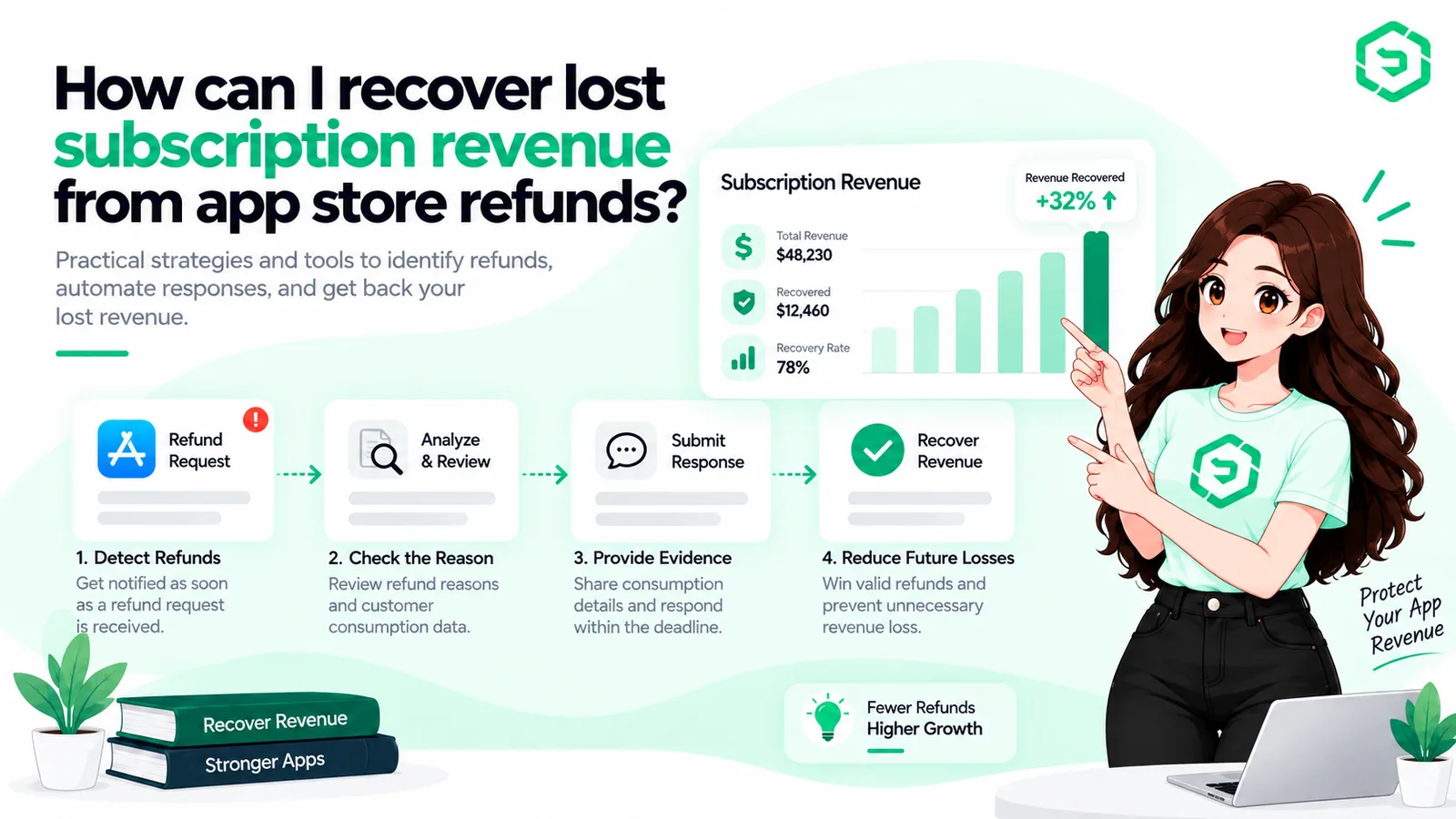
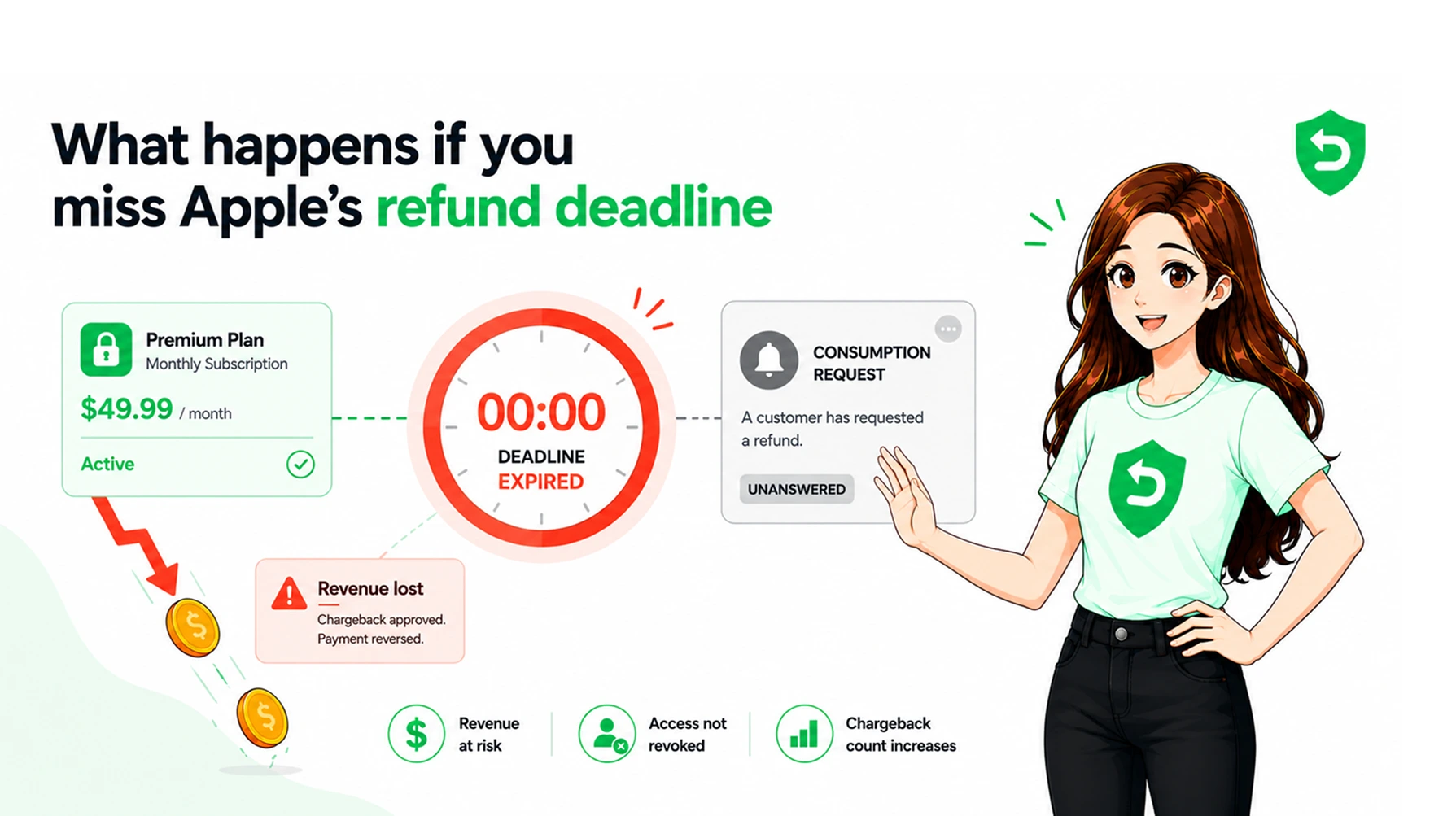
Miss Apple's refund response deadline and Apple decides without you. You get 12 hours. That is it. After that, Apple uses its own data to approve or deny the refund. Most of the time, the refund gets approved. Why? Because Apple had nothing from your side to work with.
For any iOS developer with a subscription app, this is lost money. Every missed Apple refund response means revenue gone with no way to get it back. If you build custom AI-powered apps or sell subscriptions on the App Store, you need to know how this works.
This guide covers what happens when you miss the deadline. It explains why Apple asks for your data. It shows the real cost of doing nothing. And it gives you a clear fix to stop the bleeding.
Key Takeaways ✓ Apple gives developers only 12 hours to respond to refund requests. ✓ Missing the deadline means Apple decides the refund without your data. ✓ Most missed responses result in approved refunds and lost revenue. ✓ The Apple Consumption API lets you send usage data to influence decisions. ✓ Automating refund responses is the only reliable way to meet the deadline. |
Understanding Apple's Refund Response Process
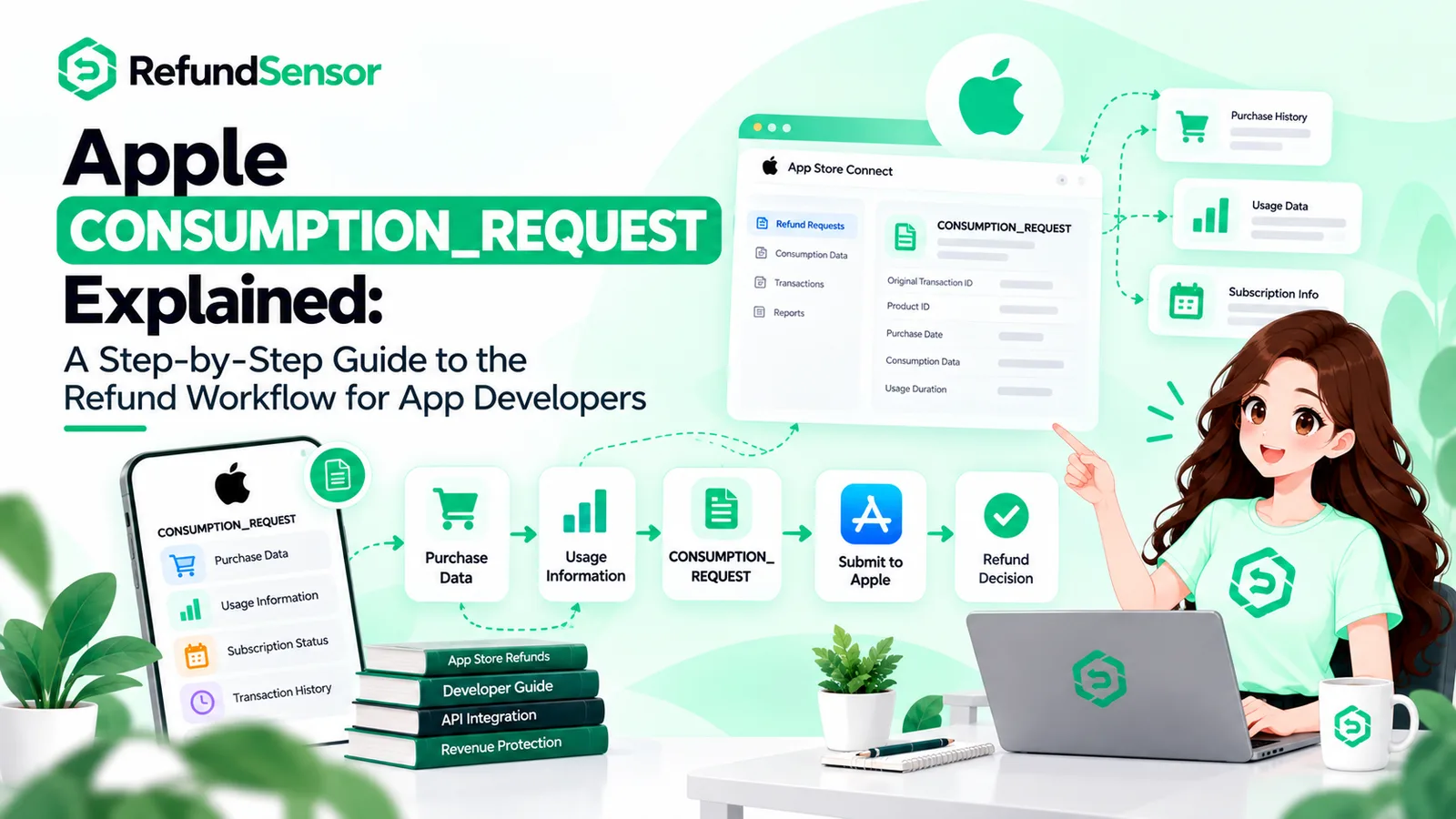
When a customer asks for a refund, Apple does not approve it right away. For in-app purchases and subscriptions, Apple sends your server a notification called CONSUMPTION_REQUEST. This comes through the App Store Server Notifications V2 system.
Think of it as Apple asking you: "Did this person use what they paid for?"
You respond with usage data through the Apple Consumption API. Things like how long they used the app. Whether the content was delivered. How much they spent in total. Whether they asked for refunds before.
Apple looks at your data plus its own records. Then it makes a call. The whole App Store refund process depends on this back-and-forth happening within 12 hours.
What Happens If You Miss the Deadline?
If 12 hours pass with no response, Apple moves on. It uses what it already knows. That means the customer's purchase history, the reason they gave, and Apple's own data.
Here is the problem. Apple does not know what happened inside your app. It does not know if the customer watched 50 hours of content. Or finished 30 levels of your game. Or used your service for 11 months before asking for a refund. Without your data, Apple sides with the customer.
Here is how the outcomes compare:
Scenario | Developer Response | Likely Outcome | Revenue Impact |
Response sent within 12 hours | Consumption data provided | Apple considers your data in the decision | Better chance of keeping revenue |
Response missed | No data sent | Apple decides without developer input | Higher refund approval rate |
Partial or late response | Data sent after deadline | Apple may ignore late data | Same as missed response |
Automated response system | Data sent within minutes | Fastest, most complete data submission | Strongest revenue protection |
Why Apple Requests Consumption Data
Apple built the Consumption API so developers could have a say in refund decisions. Before this API, Apple decided every refund on its own. Developers had no way to share their side.
The CONSUMPTION_REQUEST notification asks for specific data points:
• Account Tenure: How long has this user been on your platform?
• Play Time: How much time has the user spent in your app?
• Consumption Status: Did the user consume the purchased content?
• Delivery Status: Was the product or content delivered successfully?
• Lifetime Dollars Purchased: How much has this user spent in total?
• Lifetime Dollars Refunded: How many previous refunds has this user received?
• User Status: Is the account active or inactive?
Each of these fields helps Apple understand whether the refund request is legitimate or whether the customer is abusing the system. The consumption request reason field tells you why the customer asked for a refund in the first place.
Business Risks of Missing Refund Requests
Direct Revenue Loss
Every approved refund takes money out of your account. For subscription apps, one refund can erase months of revenue from that user. If you process hundreds of sales a day, even a few missed responses add up quickly.
Higher Refund Approval Rates
Developers who do not respond to Apple refund requests consistently see higher approval rates. Apple has no reason to deny a refund when it has no data suggesting the customer actually used the product.
Subscription Revenue Erosion
Subscription apps get hit the hardest. Someone who used your app for 11 months should not get the same refund as someone who bought by accident. But without your data, Apple cannot tell them apart.
Operational Blind Spots
If you do not track refund requests, you do not know which products or price points cause the most refunds. That is a blind spot on a number that hits your bottom line.
Common Mistakes Developers Make
• Ignoring CONSUMPTION_REQUEST notifications entirely because they do not understand what they are.
• Tracking refund requests in spreadsheets or email, which is too slow for a 12-hour deadline.
• Not setting up App Store Server Notifications V2, so the notifications never arrive in the first place.
• Sending incomplete consumption data because user activity tracking is not built into the app properly.
• Treating refund management as a low-priority task instead of a revenue protection function.
• Having no internal workflow for reviewing and responding to refund notifications after hours or on weekends.
Most iOS developers lose money on refunds not because the refunds were justified, but because nobody was watching the inbox.
Best Practices for Handling Apple Refund Responses
If you build mobile apps with in-app purchases or subscriptions, these practices should be part of your operations from day one:
• Enable App Store Server Notifications V2 in App Store Connect. This is the foundation. Without it, you will never receive CONSUMPTION_REQUEST notifications.
• Build a webhook listener that catches notifications in real time. Every minute of delay cuts into your 12-hour response window.
• Automate your consumption data response. Pull user activity data from your database and send it through the Consumption API without manual intervention.
• Log every refund request with timestamps. Track when the notification arrived, when you responded, and what the outcome was.
• Review refund trends weekly. Look at which apps, products, and refund reasons drive the most requests.
• Keep your user activity data accurate. If your app does not track session time, content consumption, or delivery status, your API responses will be weak.
How Refund Management Software Helps
Doing this by hand works if you get one or two refund requests a week. It breaks at scale. When you handle dozens or hundreds, automation is the only way.
Refund management software plugs into Apple's notification system. It catches every CONSUMPTION_REQUEST the moment it arrives. It pulls user data from your backend and sends it to Apple through the API. All of this happens in minutes, not hours.
Tools like RefundSensor do exactly this. They give you a dashboard to see every refund request, track results, and spot patterns across your apps. No spreadsheets. No manual API calls. No missed deadlines.
For teams building and managing subscription apps through custom software development services, integrating refund automation into the product architecture from the start saves significant revenue over time.
A Note on AI and Automated Refund Handling
Some tools use AI to spot patterns and improve responses. That is fine. But make sure the AI is clear about what it sends. You should see the exact data that goes to Apple for each request. Keep logs. Check edge cases by hand. Do not let the system send bad data. Apple takes data accuracy very seriously.
Conclusion
Missing the deadline is not a small mistake. It is a revenue leak that grows over time. Every missed response is a refund Apple decides without you. That almost always means lost money.
The fix is simple. Set up notifications. Automate your responses. Track your results. Review your data often. If you run a subscription app on the App Store, this matters as much as getting new users or keeping old ones.
If you want to stop losing revenue to missed refund deadlines, take a look at what RefundSensor can do for your app. It handles the entire Apple refund response workflow automatically, so you can focus on building your product instead of chasing notifications.
Frequently asked questions
An Apple refund response is the consumption data a developer sends to Apple through the Consumption API after receiving a CONSUMPTION_REQUEST notification. It includes user activity, purchase history, and delivery status to help Apple make an informed refund decision.
Apple will make the refund decision without your input. In most cases, this leads to the refund being approved because Apple has no data showing the customer used the product.
You have 12 hours from the time Apple sends the CONSUMPTION_REQUEST notification to your server. After that, Apple proceeds without your data.
The Apple Consumption API is an endpoint in the App Store Server API that lets developers send usage and purchase data to Apple when a customer requests a refund. Apple uses this data to inform its refund decision.
Developers cannot directly reject refund requests. However, by sending detailed consumption data, developers can influence Apple's decision. If the data shows the customer used the product extensively, Apple is more likely to deny the refund.
Apple asks for account tenure, play time, consumption status, delivery status, lifetime dollars purchased, lifetime dollars refunded, customer consent, platform, and user status.
Refund management software automates the entire response process. It catches CONSUMPTION_REQUEST notifications in real time, pulls user data from your backend, and sends a complete response to Apple within minutes, well before the 12-hour deadline.
No. Apple still makes the final decision. But responding with accurate consumption data gives Apple the context it needs to make a fair decision. Developers who respond consistently see lower refund approval rates than those who do not.