Apple Consumption Requests Explained: When Are They Triggered?
If you manage an iOS app that offers digital goods, subscriptions, or consumable items, handling refunds is an inevitable part of doing business. Apple has historically managed customer refund requests behind closed doors, leaving developers with little insight into why a user requested a refund or whether they actually used the digital item they bought.
To create a fairer system, Apple introduced a feature within StoreKit that asks developers for data when a user requests a refund. This mechanism is called a Consumption Request.
By leveraging tools like Refund Sensor, developers can stay on top of these events, ensuring they handle App Store transactions efficiently while protecting their bottom line.
Here is a simple breakdown of what an Apple Consumption Request is, how it gets triggered, and why it plays a critical role in your app’s revenue strategy.
What Is an Apple Consumption Request?
An Apple Consumption Request is an automated notification that Apple sends to an app developer’s server when a customer requests an Apple in-app purchase refund.
When a user asks Apple for their money back on an in-app purchase, Apple reaches out to the developer to ask: "Did the user actually consume or use what they bought?"
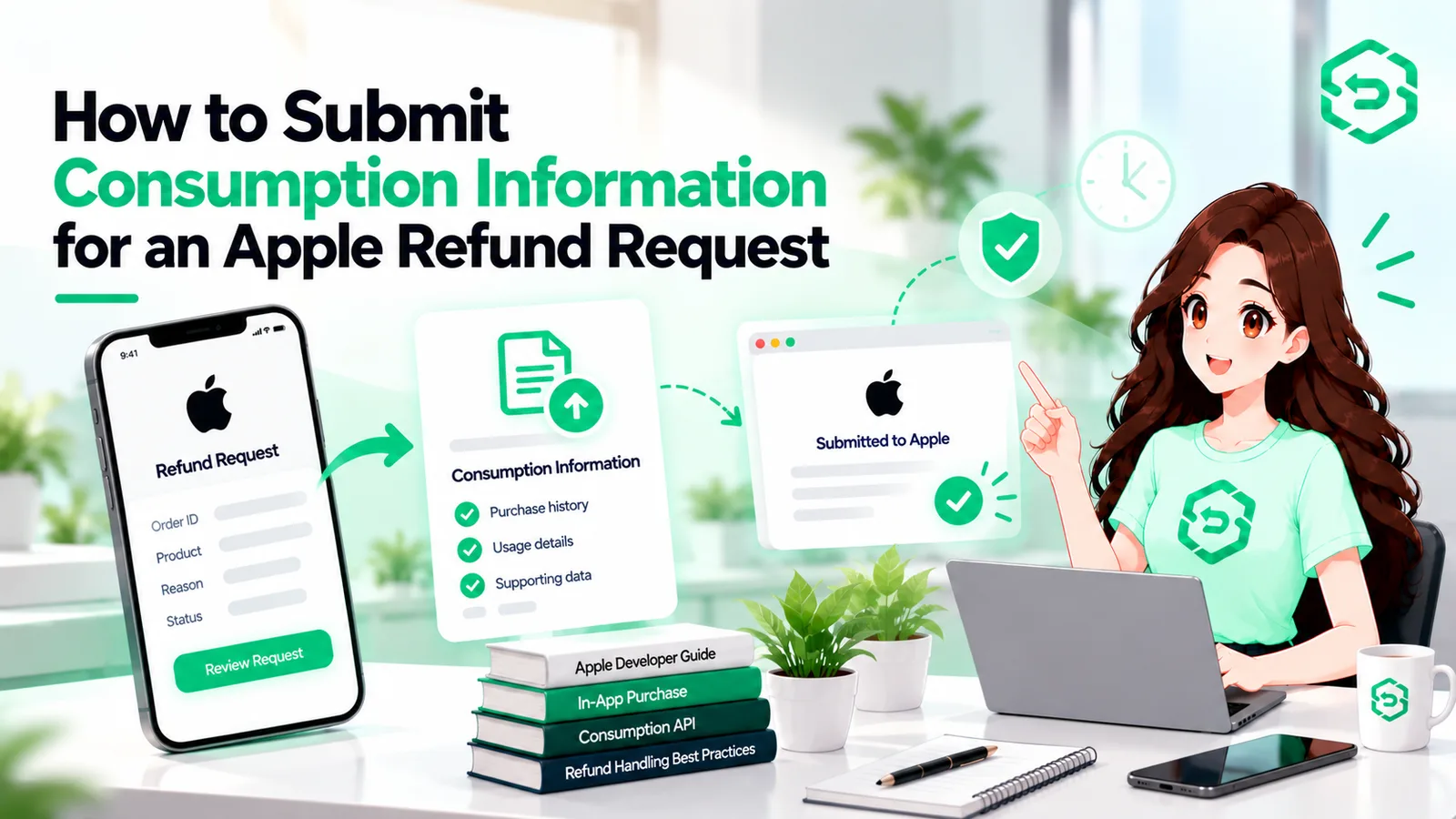
The developer then has a short window of time to send back Apple consumption information. This data gives Apple additional context about how much of the item was used, how long the account has been active, and whether there are signs of unusual account activity. Apple uses this information as one of several factors when deciding whether to approve or decline the customer's refund request.
What Is Apple Consumption Information?
When Apple asks for consumption data, they are looking for specific metrics regarding how the user interacted with the purchased content inside your app.
This data typically includes:
Account metrics: Account age, total spend, and user status.
Consumption status: Whether the item was partially used, fully consumed, or untouched.
Delivery status: Whether the digital asset was successfully delivered to the user's account.
Refund history: Information on whether this user has requested refunds in the past.
Engagement data: Playtime, active sessions, or usage logs related to the purchase.
Providing detailed consumption data helps build a clear picture of user engagement. You can review the full parameters in Apple's Send Consumption Information API documentation.
When Does an Apple Consumption Request Get Triggered?
An Apple Consumption Request does not happen for every purchase. It is specifically tied to the refund lifecycle.
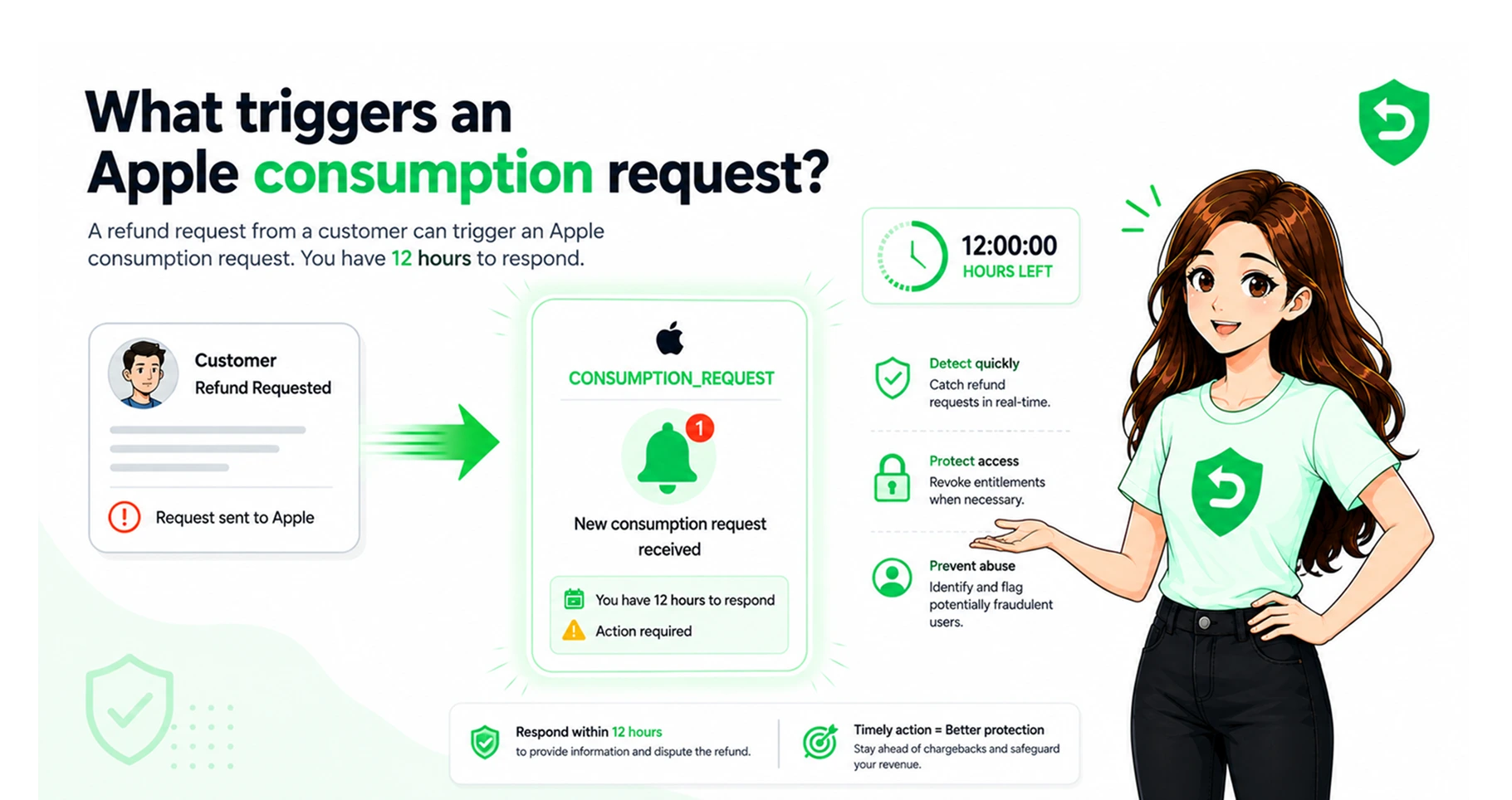
Here is the exact sequence of events that triggers a request:
A customer asks for a refund: The user requests a refund through Apple's self-service page or customer support channel.
Apple evaluates the request: Apple checks if the transaction is eligible for evaluation under Apple Support refund policies.
Apple sends a notification: If the purchase is eligible, Apple sends a CONSUMPTION_REQUEST notification via App Store Server Notifications to the developer's server.
The developer receives the request: The developer’s system receives the event, gathers the user’s usage logs, and sends a response back to Apple.
Is It Always Triggered?
No. Apple does not trigger a consumption request for every single refund attempt. Apple may auto-approve or auto-deny certain requests based on clear eligibility rules, regional consumer laws, or strict fraud controls before ever contacting the developer. However, for many disputed consumable purchases, Apple will prompt the developer for consumption data.
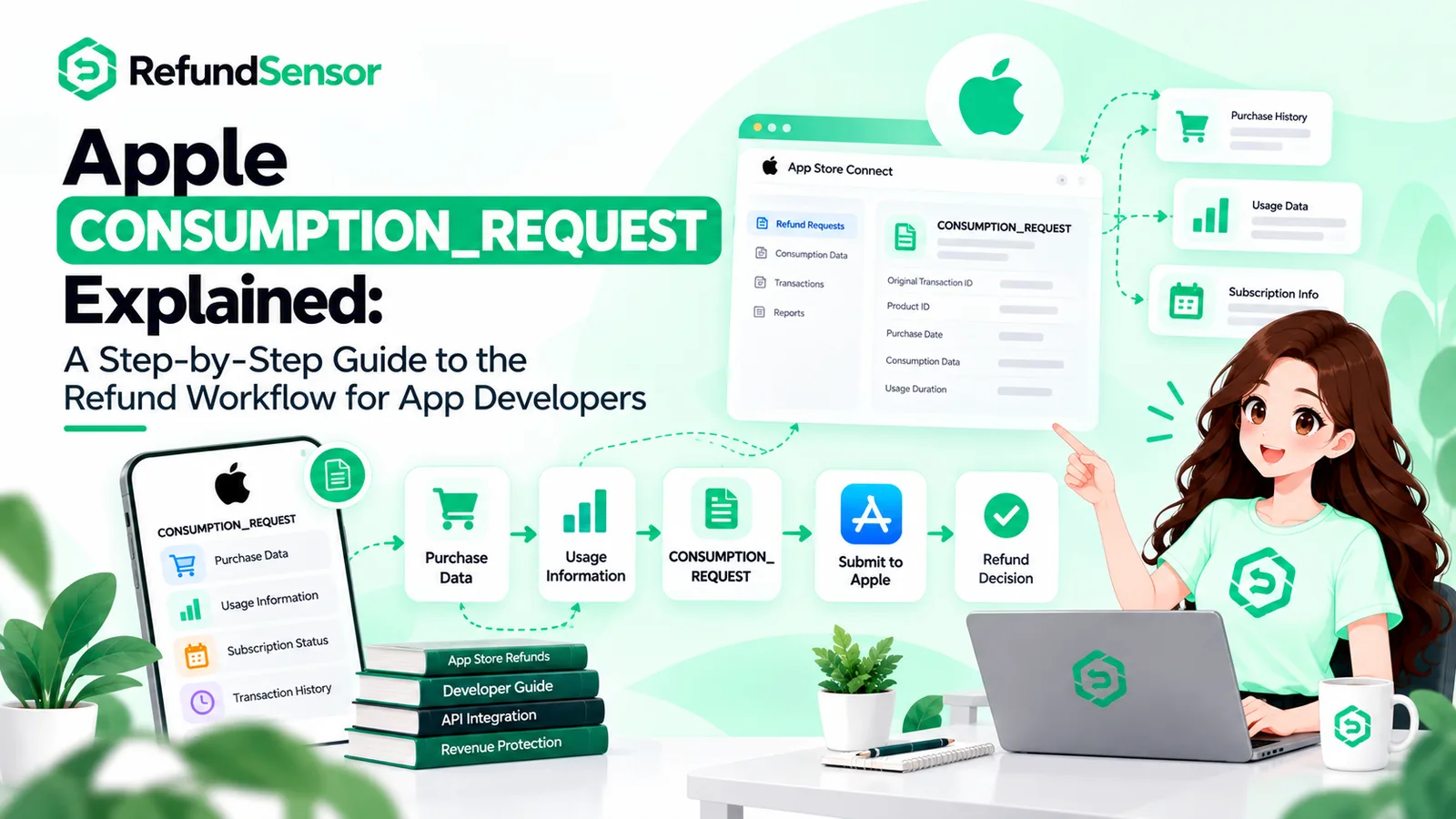
How the Process Works Step-by-Step
Understanding the timeline of a consumption request is vital because Apple gives developers a very tight window to respond.
Customer Requests Refund
│
▼
Apple Sends CONSUMPTION_REQUEST Notification
│
▼
Developer Gathers Usage & Account Data
│
▼
Developer Submits Data via Send Consumption Information API (within 12 hours)
│
▼
Apple Makes Final Refund Decision
The 12-Hour Window
When Apple triggers a consumption request, your server usually has 12 hours to send the required data back via Apple’s API. If your server fails to respond within this timeframe, Apple will make the refund decision using only the data they already have on file.
Because this window is so short, managing this process manually is nearly impossible for growing apps. This is where modern Apple refund management systems become essential, helping automate data gathering and API delivery in real time.
Why Consumption Information Matters for Refunds
Providing consumption data gives developers a voice in a process that was once entirely black-boxed.
Without your input, Apple only knows that a user bought something and asked for their money back. They don't know if a gamer bought 1,000 virtual coins, spent them all on top-tier items, and immediately asked for a refund.
Key Benefits of Providing Data
Prevents Refund Abuse: If your data shows that an item was 100% consumed within minutes of purchase, Apple can factor that into their decision.
Fairer Outcomes: It protects your business against bad-actor users while ensuring legitimate customer service issues are handled properly.
Better Insights: Tracking these requests gives you a clear view of which products generate the most refund requests.
It is important to note: Submitting consumption data does not guarantee that Apple will deny a refund. Apple retains total control over the final decision. However, providing accurate data significantly improves Apple's ability to make an informed choice.
How This Impacts the Apple Refund Process
Integrating consumption requests transforms how your team interacts with the broader Apple refund process.
Historically, developers only knew a refund occurred after the money was deducted from their account. With server notifications and consumption requests:
You get early visibility into active refund requests.
You can flag potential abuse patterns early.
You can align internal user balances once a refund is officially granted.
Effective Apple refund monitoring helps app businesses track the lifetime value of users more accurately by factoring in disputed transactions as they happen, rather than during monthly accounting reconciliations.
Simplifying Operations with Automation
Setting up an endpoint to catch consumption requests, query your internal database, format the payload according to Apple’s exact schema, and respond within 12 hours requires serious engineering effort.
For teams looking to streamline this workflow, implementing dedicated iOS refund management tools removes the heavy engineering burden.
Using Apple refund automation allows your backend to:
Automatically collect relevant user activity logs upon receiving a notification.
Format and submit consumption payloads to Apple instantly without human intervention.
Track refund rates across different app versions and product tiers.
Automatically revoke in-app digital items or disable accounts when refunds are granted.
Common Mistakes Developers Make
When dealing with consumption requests, developers often run into a few common pitfalls:
1. Missing the 12-Hour Deadline
If your backend endpoint goes down or takes too long to process user records, the 12-hour response window closes. Once missed, Apple makes the decision without your input.
2. Sending Inaccurate or Incomplete Data
Sending wrong consumption status codes or zeroed-out fields renders the submission useless. Make sure your system correctly logs when digital items are delivered and consumed.
3. Assuming Consumption Data Blocks All Refunds
Some developers believe that proving an item was consumed guarantees the refund will be rejected. Apple considers customer account history, regional legal protections, and payment issues alongside your data.
4. Ignoring Revocation Notifications
Responding to a consumption request is only half the battle. You must also listen for REVOCATION notifications so you can remove refunded items or subscription access from user accounts in real time.
Final Thoughts
The Apple Consumption Request system gives developers a direct line of communication with Apple during disputed transactions. By providing clear, accurate data about how users interact with your in-app purchases, you can help protect your app from refund abuse and maintain cleaner revenue records.
If you want to save development time and avoid building custom infrastructure from scratch, setting up automated refund tracking and consumption reporting is one of the smartest investments you can make for your iOS business.
Frequently asked questions
An Apple Consumption Request is an automated notification sent by Apple to an app developer when a user requests an in-app purchase refund. Apple asks for data about how the item was used to help determine whether to grant the refund.
Apple sends a consumption request after a customer initiates a refund request for an eligible in-app purchase, provided Apple requires additional usage context from the developer before making a final ruling.
Apple consumption information includes data points provided by the developer, such as account age, item delivery status, percentage of content consumed, user engagement, and previous refund patterns.
Apple uses consumption information to better understand whether the customer received and used what they paid for, helping identify fraudulent claims and abuse while making fair refund decisions.
No. A consumption request simply means Apple is gathering details to evaluate the claim. The final decision rests with Apple, and submitting consumption data does not guarantee approval or denial.
Accurate consumption data gives Apple context. If you prove the user consumed 100% of a consumable item right before asking for a refund, Apple is more likely to consider that when assessing the request.
No, developers cannot directly reject or block App Store refunds. Apple handles all billing and refund decisions. Developers can only supply accurate consumption data to inform Apple's decision
Businesses can streamline refund operations by using automated systems that monitor App Store server notifications, submit consumption data within the 12-hour window, and automatically update user entitlements when refunds occur.