
Quick answer: A CONSUMPTION_REQUEST is the notification Apple sends your server when a customer requests a refund on an eligible in-app purchase or subscription. To respond, you send back a structured ConsumptionRequest a set of fields describing how the customer used what they bought, whether they consented, and your refund preference. Apple weighs those fields in its decision. This guide explains what each one means and why it matters.
What the notification is
When a customer asks Apple for a refund, the App Store sends a CONSUMPTION_REQUEST to your server through App Store Server Notifications. It's Apple saying: tell us what you know about how this customer used this purchase, and we'll factor it into our decision.
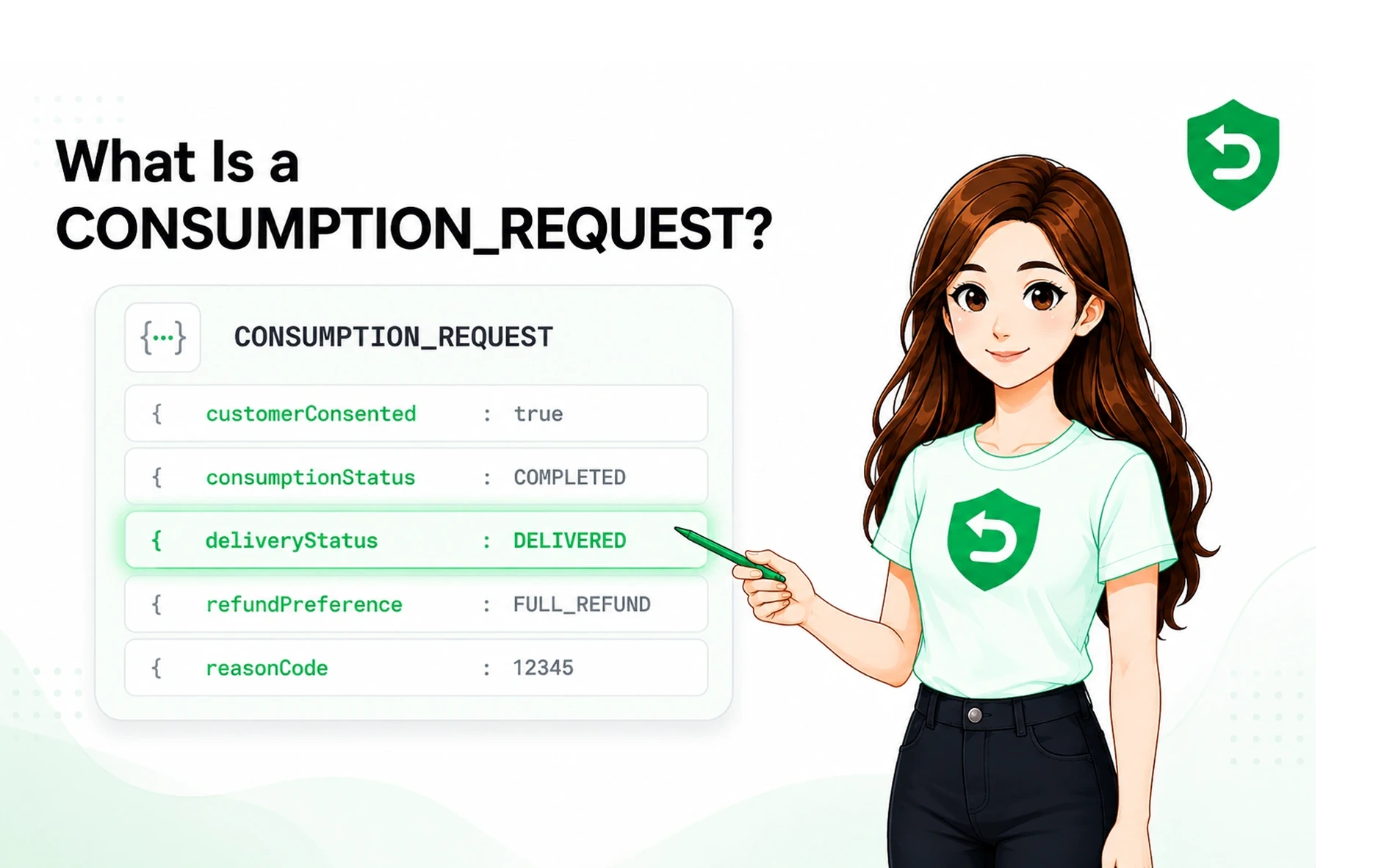
You respond by returning a ConsumptionRequest body. Every value is a signal. Send accurate, complete apple refund data and Apple has context; leave fields blank and it decides on less. You don't approve or deny the refund yourself Apple always makes the final call but the quality of what you send shapes the odds. For the full flow, see How to Automate Apple Refund Requests.
The fields Apple accepts
Here's what goes into a ConsumptionRequest and what each field tells Apple. These consumption request fields provide the structured data used in the consumption api workflow:
Field | What it represents | Why it matters |
customerConsented | Whether the customer consented to share this data | Required. Must be true or Apple won't process the response. |
consumptionStatus | Not consumed / partially consumed / fully consumed | A fully consumed purchase is a very different case from an untouched one. |
deliveryStatus | Whether the value or service was delivered successfully | Distinguishes "we delivered, they used it" from a genuine delivery failure. |
refundPreference | Your recommendation: undeclared / prefer grant / prefer decline | One of Apple's inputs — where your evidence supports it, this is your voice in the decision. |
accountTenure | How long the customer has had an account with you | A long-tenured account reads differently from a brand-new one. |
playTime | How much time the customer has spent in your app | Direct evidence of engagement with what they're refunding. |
lifetimeDollarsPurchased | Total the customer has spent across your apps | Context on whether this is a one-off or a valuable, established customer. |
lifetimeDollarsRefunded | Total previously refunded to this customer | A pattern of repeat refunds is a meaningful signal. |
sampleContentProvided | Whether the customer could try before buying | Speaks to whether the purchase was informed. |
userStatus | Current account status (active, suspended, etc.) | Frames the customer's standing at the time of the request. |
Apple maps most of these to defined value sets (for example, consumptionStatus and deliveryStatus use specific enumerated codes). The exact codes live in Apple's documentation, linked below, and can change which is part of why keeping a response current is ongoing work, not a one-time build.
The three fields that matter most
If you focus on anything, focus here:
customerConsented: This isn't just important, it's a gate. Apple rejects the whole submission if it's not true, and you're legally responsible for having obtained that consent in your app before you ever send data. It's as much a compliance field as a technical one. We cover the consent requirement in depth in Customer Consent & the Consumption API.
refundPreference: This is the closest thing you have to a vote. Where your evidence genuinely supports declining, expressing that preference is one of the inputs Apple considers. Where it doesn't, forcing a decline preference isn't a magic override Apple still decides.
consumptionStatus: Whether the customer actually used what they bought is often the crux of the case. It's also one of the fields that's easiest to get wrong if your usage data isn't accurate and current at the moment the request arrives.
Why filling these in correctly is harder than it looks
Reading a table of fields, this can look like a quick afternoon of work. In practice, responding well means:
Pulling accurate, up to the moment usage and billing data for each customer the instant a request arrives not yesterday's snapshot.
Mapping your internal data to Apple's exact value sets, and keeping that mapping correct as Apple revises them.
Doing it inside the ~12-hour window, at any hour, without a person watching.
Handling consent state, retries, failures, and logging so you can prove what you sent and see whether it's working.
None of that is conceptually hard. All of it is infrastructure you'd then own and maintain for a workflow that isn't your product. That's the calculation most teams end up making: the fields are knowable, but standing up and maintaining a reliable, deadline-safe, compliant responder for them is a standing cost with no upside to your actual app.
That's the gap RefundSensor fills. It maps every field from your data, keeps current with Apple's changes, and responds inside the window automatically so the accuracy that decides refunds is handled without you building or babysitting it. For teams comparing Apple refund automation software, this removes the infrastructure burden from the workflow.
Official sources
Apple's value sets and requirements change, so treat its documentation as the final authority:
The fields are knowable. Maintaining a responder for them isn't your job. RefundSensor maps every ConsumptionRequest field from your data and answers inside Apple's window automatically, accurate, current, and compliant. Start free
Frequently asked questions
It's the App Store Server Notification Apple sends when a customer requests a refund on an eligible purchase. It prompts you to return consumption data that Apple weighs in its refund decision.
Fields describing consent, consumption status, delivery status, account tenure, play time, lifetime spend and refunds, sample content, account status, and your refund preference. Each is a signal Apple factors into the decision.
customerConsented is a hard gate, the response is rejected without it. refundPreference and consumptionStatus most directly shape the outcome where your evidence supports your case.
A preference carries more weight when it's backed by accurate consumption and delivery data. Sparse responses give Apple less to act on, so the preference alone is weaker than a preference with evidence.
No. Apple always makes the final decision. Accurate data improves your odds; it doesn't give you a veto.