संक्षिप्त उत्तर: जब कोई customer किसी in-app purchase या subscription पर Apple से refund मांगता है, तो App Store आपके server को एक CONSUMPTION_REQUEST notification भेजता है और आपको Send Consumption Information endpoint के माध्यम से consumption data के साथ जवाब देने के लिए लगभग 12 घंटे का समय देता है। Apple अपने decision में उस data को महत्व देता है। यदि आप समय पर जवाब नहीं देते, तो Apple आपके input के बिना फैसला करता है और अक्सर default रूप से अनुचित refunds भी स्वीकृत हो जाते हैं। इस response को automate करने का मतलब है कि हर request का जवाब हर बार window के भीतर दिया जाता है।
संक्षेप में
Apple ही payment rails का मालिक है। जब कोई आपके app में subscription या in-app purchase खरीदता है, तो Apple पैसे collect करता है, अपना cut लेता है, और refunds को handle करता है। वर्षों तक developers की refund decisions में कोई भूमिका ही नहीं होती थी।
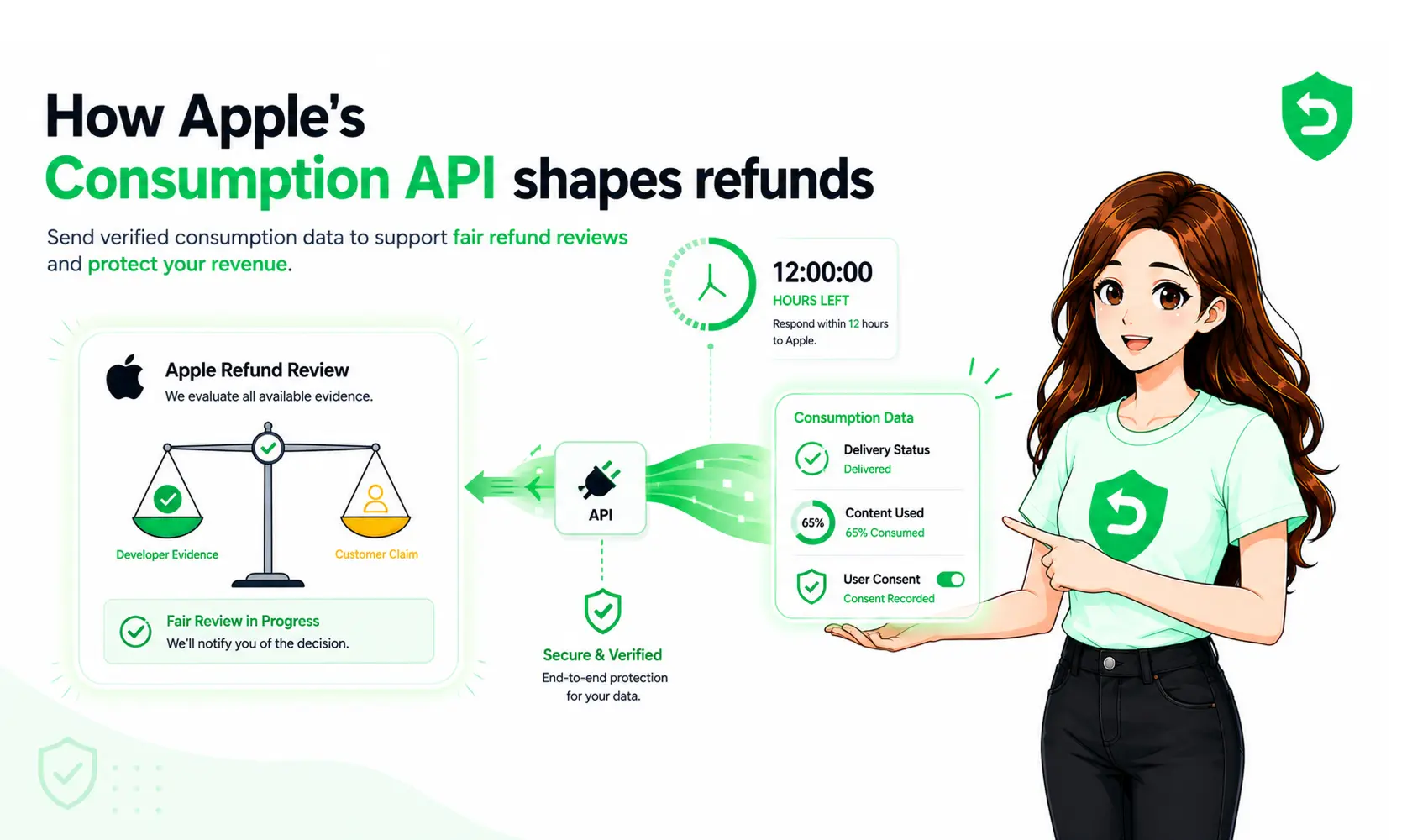
यह बदल गया है। Apple अब आपको consumption information भेजने देता है यह बताने वाला structured evidence कि customer ने जो खरीदा था उसे कैसे इस्तेमाल किया और यह refund decision में शामिल होता है। आपको खुद refund को approve या deny करने की अनुमति नहीं होती; अंतिम फैसला अब भी Apple ही लेता है। लेकिन खामोशी से Apple के पास काम करने के लिए कुछ नहीं होता, और एक सही ढंग से तैयार किया गया response उसे context देता है।
असली चुनौती है timing और consistency। window बहुत छोटी होती है, यह अनिश्चित समय पर खुलती है, और किसी भी वास्तविक volume पर इसे manually करना असंभव है। यही समस्या है जिसे apple refund automation हल करता है।
Apple का refund flow वास्तव में कैसे काम करता है
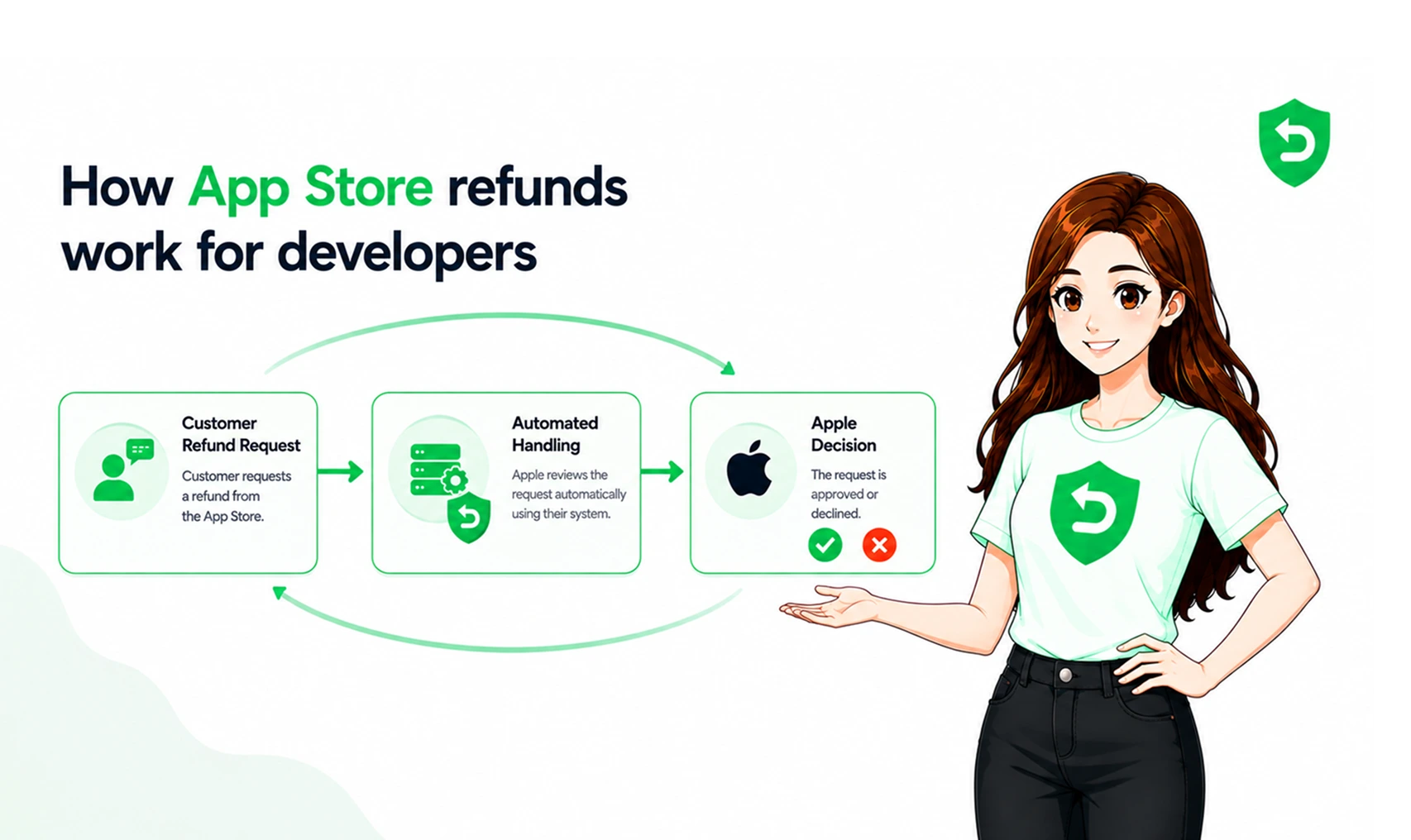
यहाँ पूरा sequence है, शुरू से आखिर तक:
Customer refund के लिए request करता है। वे reportaproblem.apple.com पर जाते हैं, purchase चुनते हैं, एक reason select करते हैं, और submit करते हैं।
Apple आपके server को notify करता है। eligible purchases के लिए, App Store App Store Server Notifications V2 के माध्यम से एक CONSUMPTION_REQUEST notification भेजता है। payload में purchase की पहचान करने वाला signed transaction data होता है। यही app store server notifications automated workflow को trigger करते हैं।
आप consumption data के साथ जवाब देते हैं। आप original transaction ID और एक structured ConsumptionRequest body के साथ Send Consumption Information को call करते हैं, जो delivery, usage, consent, और आपकी refund preference को बताता है। send consumption information endpoint इस प्रक्रिया में सबसे महत्वपूर्ण API step है।
Apple फैसला करता है। उसका refund decisioning system आपके data को customer की history और अन्य factors के साथ तौलता है, फिर एक decision जारी करता है।
आपको outcome की जानकारी दी जाती है। एक REFUND notification का मतलब है कि refund स्वीकृत हो गया; एक REFUND_DECLINED notification (StoreKit API के माध्यम से शुरू की गई requests के लिए) का मतलब है कि वह स्वीकृत नहीं हुआ।
एक CONSUMPTION_REQUEST में क्या होता है और आप जवाब में क्या भेजते हैं
notification खुद signed transaction info और customer द्वारा बताए गए reason (consumptionRequestReason) को carry करता है। असली काम आपके response में होता है। Apple एक structured ConsumptionRequest define करता है जिसमें ये fields शामिल हैं:
Field | यह Apple को क्या बताता है |
customerConsented | क्या customer ने यह data share करने के लिए सहमति दी है। यह true होना ही चाहिए, वरना Apple submission को reject कर देता है। |
consumptionStatus | क्या खरीदी गई content consume नहीं हुई, आंशिक रूप से consume हुई, या पूरी तरह consume हो गई। |
deliveryStatus | क्या in-app value या service वास्तव में deliver की गई थी। |
accountTenure | customer का आपके साथ account कितने समय से है। |
playTime | customer ने app में कितना समय बिताया है। |
lifetimeDollarsPurchased | customer ने आपके apps में कुल कितना खर्च किया है। |
lifetimeDollarsRefunded | customer को पहले कुल कितना refund किया जा चुका है। |
sampleContentProvided | क्या customer खरीदने से पहले content को try कर सकता था। |
userStatus | customer के account की वर्तमान स्थिति (active, suspended, आदि)। |
refundPreference | Apple को आपकी recommendation: undeclared, prefer grant, या prefer decline। |
हर field एक signal है। खाली छोड़ने पर, यह context Apple को कभी नहीं मिलता। हम हर field और उसके accepted values को What Is a CONSUMPTION_REQUEST Notification? A Field-by-Field Breakdown में विस्तार से बताते हैं। apple refund api का evaluation कर रहे developers को यह भी समझना चाहिए कि ये fields पूरे refund workflow में कैसे fit होते हैं।
12 घंटे की Window
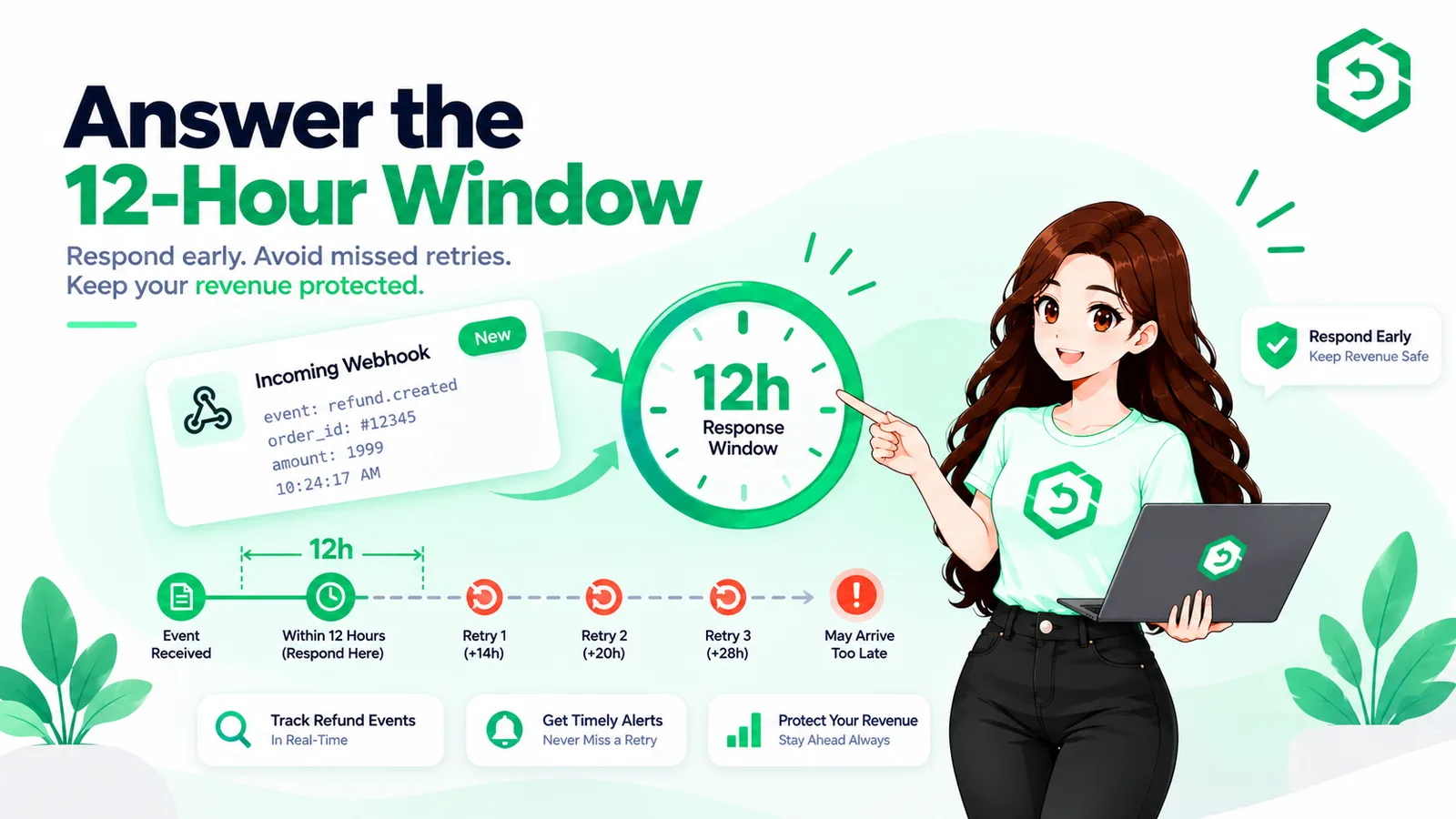
Production में CONSUMPTION_REQUEST का जवाब देने के लिए आपके पास लगभग 12 घंटे होते हैं। इसे miss करने पर आप input देने का मौका खो देते हैं; Apple अपने पास जो पहले से है उसी के आधार पर फैसला करता है।
समस्या window की लंबाई नहीं है यह है कि वह कब खुलती है। Refund requests business hours का इंतज़ार नहीं करते। यह window रात में, weekend पर, या किसी holiday के दौरान भी खुल सकती है, और एक manual review queue इसे तब तक cover नहीं कर सकती जब तक कोई हमेशा on call न हो। यही सबसे common reason है जिसकी वजह से developers वे refunds खो देते हैं जिनका वे मुकाबला कर सकते थे: खराब response नहीं, बल्कि कोई response ही नहीं। हम इस पर और विस्तार से The 12-Hour Window: Why Most Developers Lose Refunds by Default में बात करते हैं।
Consent की आवश्यकता इसे skip न करें
यह वह हिस्सा है जो लगभग सभी को उलझा देता है, और यह सिर्फ एक technical issue नहीं बल्कि एक legal issue भी है।
Apple का CONSUMPTION_REQUEST आपको यह नहीं बताता कि customer ने अपना data share करने के लिए सहमति दी है या नहीं। यह जानबूझकर ऐसा है Apple यह अपेक्षा करता है कि किसी भी consumption data को भेजने से पहले consent collect और confirm करने का काम आपका app करे, आपका server नहीं। आपको अपने API call में customerConsented को true set करना ही होगा, और valid consent प्राप्त करने की पूरी जिम्मेदारी आप पर, यानी developer पर है, क्योंकि आप ही वह data share कर रहे हैं जो आपने user से collect किया है।
इसमें गलती करने पर आप सिर्फ submission reject होने का risk नहीं लेते आप GDPR या DPDP compliance problem का risk भी लेते हैं। कुछ भी automate करने से पहले अपने app की terms और purchase flow में consent को सही तरीके से handle करें। हम इसे कहाँ और कैसे करना है, यह ठीक-ठीक Customer Consent & the Consumption API: What Apple Actually Requires में बताते हैं।
इसे automate करने में वास्तव में क्या लगता है
कागज़ पर, response को automate करना एक weekend project जैसा लगता है: notification को catch करें, fields भरें, endpoint को call करें। Production में, यह एक स्थायी infrastructure है और यह समझना कि वास्तव में इसमें क्या शामिल है, "we'll build it" और "we'll skip it" के बीच का फ़र्क है।
एक reliable in-house responder को Apple के signed notifications receive और verify करने होते हैं, request आने के तुरंत बाद हर customer के लिए accurate, up-to-the-moment usage और billing data खींचना होता है, उस data को Apple के exact ConsumptionRequest values में map करना होता है, और इसे बिना किसी व्यक्ति के देखे, किसी भी समय, ~12 घंटे की window के भीतर submit करना होता है। इसके अलावा इसे deadline-safe retries, failure handling, audit करने योग्य logging, यह जानने के लिए monitoring कि कहीं कुछ टूट तो नहीं गया, और हर बार जब Apple अपने payloads या fields को revise करता है तब ongoing maintenance की भी ज़रूरत होती है। इसमें से कुछ भी आपका product नहीं है। यह सब infrastructure है जिसे आप एक ऐसे workflow के लिए अनिश्चित काल तक own करेंगे जिसका आपके app के काम से कोई लेना-देना नहीं है। (हम notification layer पर Setting Up App Store Server Notifications V2 में और विस्तार से बात करते हैं।)
यही calculation है जिस पर ज़्यादातर teams आखिरकार पहुँचती हैं: mechanics को समझा जा सकता है, लेकिन एक compliant, deadline-safe responder को बनाना और उसकी देखभाल करना एक स्थायी cost है जिसका app को खुद कोई फायदा नहीं होता। यह ठीक वैसी undifferentiated plumbing है जिसके लिए managed service बनी होती है।
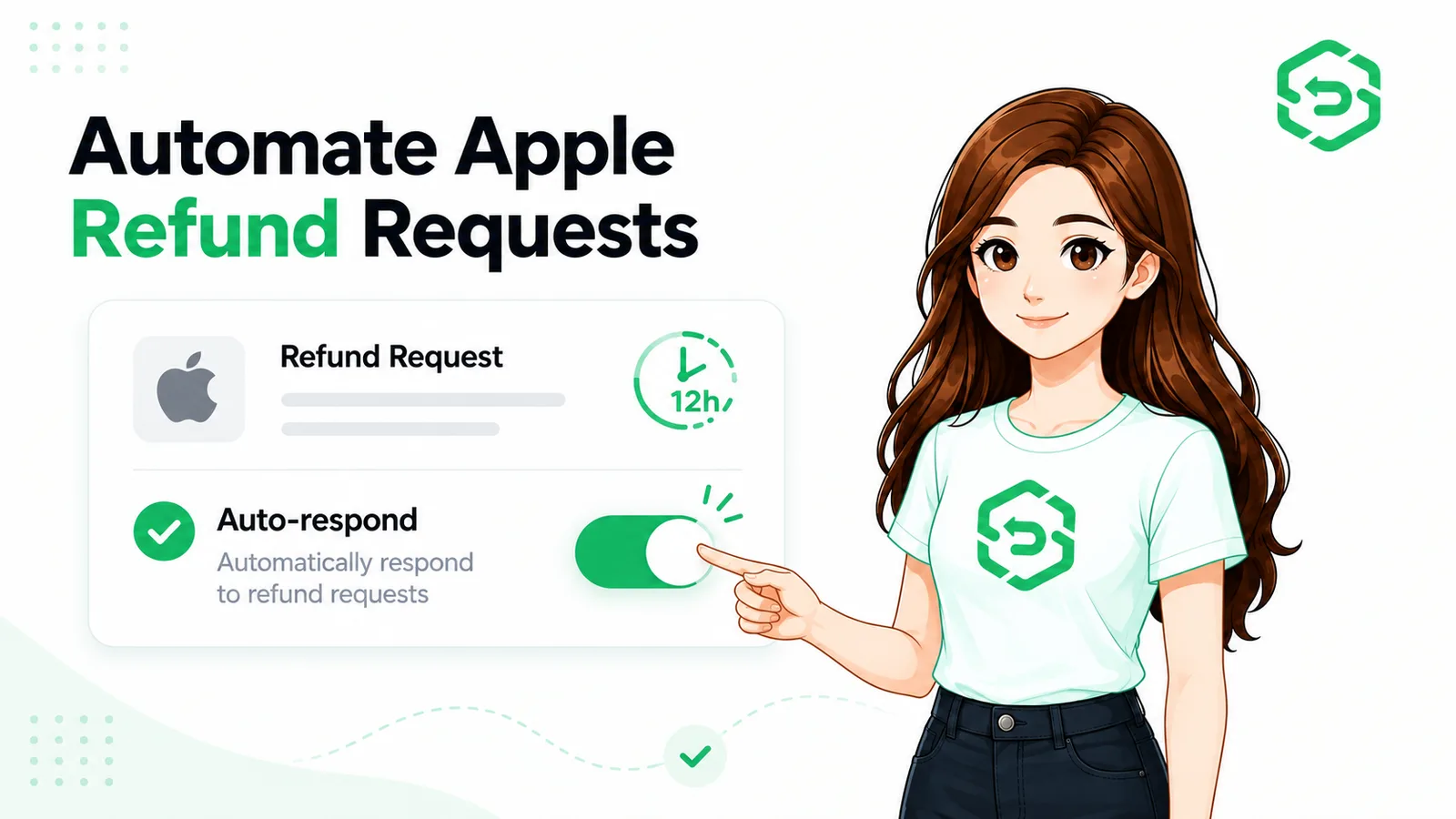
यही काम RefundSensor करता है। यह एक webhook URL के साथ आपके App Store Connect setup में जुड़ जाता है कोई SDK नहीं, कोई code changes नहीं, कोई app resubmission नहीं फिर यह Apple की window के भीतर हर CONSUMPTION_REQUEST का automatically जवाब देता है, आपके data से fields को map करता है, retries और monitoring को handle करता है, Apple के changes के साथ अपडेट रहता है, और हर outcome को एक dashboard में record करता है। आपको एक अच्छी तरह बनाए गए responder का नतीजा मिलता है, बिना उसे खुद बनाए या maintain किए। Apple refund automation software खोज रही teams के लिए, यह in-house workflow को maintain करने का एक managed alternative प्रदान करता है।
क्या जवाब देने से वास्तव में refunds कम होते हैं?
हाँ, हालांकि results अलग-अलग हो सकते हैं और फैसला हमेशा Apple ही करता है। accurate consumption data submit करने से Apple के system को अधिक context मिलता है, और जो developers consistently जवाब देते हैं उन्हें आम तौर पर उन developers की तुलना में कम refunds स्वीकृत होते दिखते हैं जो requests का जवाब नहीं देते। "prefer decline" recommendation चुनना, जहाँ आपका evidence वास्तव में इसका समर्थन करता है, एक और input है जिसे Apple consider करता है। यह तब खासतौर पर relevant हो सकता है जब आप बड़े scale पर subscription refund workflow manage कर रहे हों।
Automation क्या कर सकता है और क्या नहीं
इसकी सीमा के बारे में अपने आप से ईमानदार रहें:
यह नहीं कर सकता किसी खास refund के decline होने की गारंटी देना। अंतिम फैसला हर बार Apple ही लेता है।
यह नहीं कर सकता उन refunds का मुकाबला करना जो कभी CONSUMPTION_REQUEST generate ही नहीं करते — हर refund ऐसा नहीं करता।
यह कर सकता है यह सुनिश्चित करना कि हर eligible request का जवाब window के भीतर, consistent और accurate data के साथ दिया जाए, जिससे आप सिर्फ इसलिए कोई refund न खोएं क्योंकि किसी ने notification देखी ही नहीं।
यही आखिरी बात सबसे ज़्यादा मायने रखती है। आप Apple को override नहीं कर रहे आप सिर्फ यह सुनिश्चित कर रहे हैं कि आपको हमेशा अपनी बात कहने का मौका मिले।
विस्तृत जानकारी के लिए, Apple की अपनी सामग्री को ही अंतिम authority मानें:
Industry को refunds में developers की आवाज़ कमाने में 15 साल लगे। इसका इस्तेमाल हर बार करें। RefundSensor Apple CONSUMPTION_REQUEST notifications का window के भीतर automatically जवाब देता है और Apple और Google Play दोनों के लिए हर outcome को track करता है।Start free
अक्सर पूछे जाने वाले प्रश्न
यह एक App Store Server Notification है जो Apple आपके server को तब भेजता है जब कोई customer किसी eligible in-app purchase या subscription पर refund की request करता है। यह आपके लिए consumption data के साथ जवाब देने का संकेत है, जिसे Apple अपने refund decision में तौलेगा।
Production में लगभग 12 घंटे। यदि आप समय पर जवाब नहीं देते, तो Apple आपके input के बिना फैसला करता है, और बिना जवाब वाली requests अक्सर default रूप से स्वीकृत हो जाती हैं।
नहीं। आप decline की recommendation देने वाला एक refundPreference भेज सकते हैं, लेकिन अंतिम फैसला हमेशा Apple ही लेता है। Automation यह सुनिश्चित करके आपके odds बेहतर बनाता है कि हर बार accurate data submit हो, यह आपको veto नहीं देता।
हाँ। आपको अपने app में valid consent प्राप्त करना होगा और customerConsented को true set करना होगा। Apple यह आपके लिए collect नहीं करता, और consent के बिना data भेजना एक privacy-compliance risk पैदा करता है जिसके लिए आप ज़िम्मेदार हैं।
नहीं। CONSUMPTION_REQUEST का जवाब देना App Store Server Notifications और Consumption API के माध्यम से server-side होता है। RefundSensor के साथ आप App Store Connect में एक webhook URL paste करते हैं, कोई SDK नहीं, कोई code changes नहीं, कोई resubmission नहीं।
Apple आपके data के बिना आगे बढ़ जाता है। आप context देने का एक मौका खो देते हैं, और अनुचित refunds सहित, refunds के स्वीकृत होने की संभावना बढ़ जाती है।